An app for tutors
Whiteboard, calendar, students, payments and materials in one panel. Below, every module as it looks in the app.
14 days of full access, free, no card
Ten modules
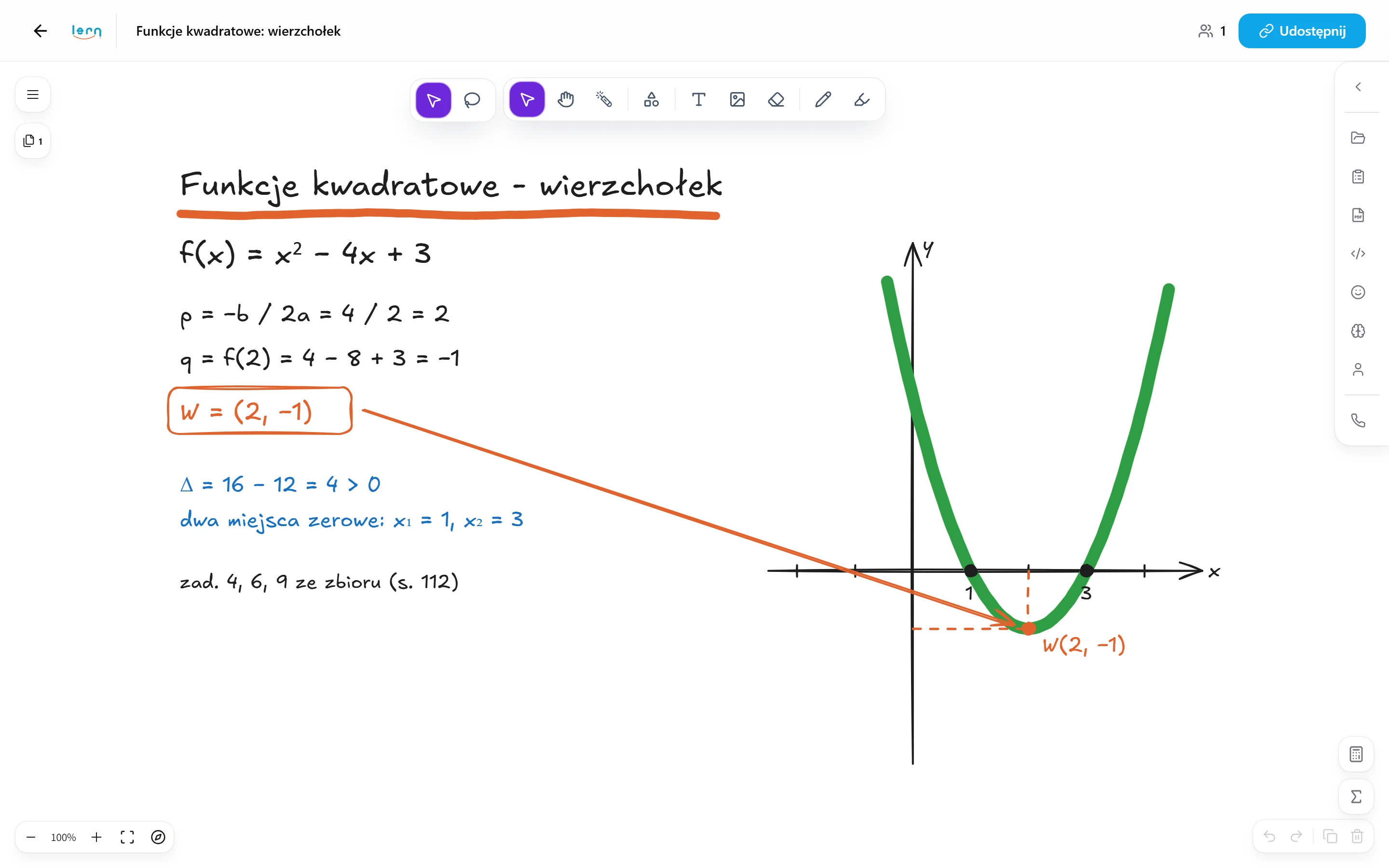
Whiteboard
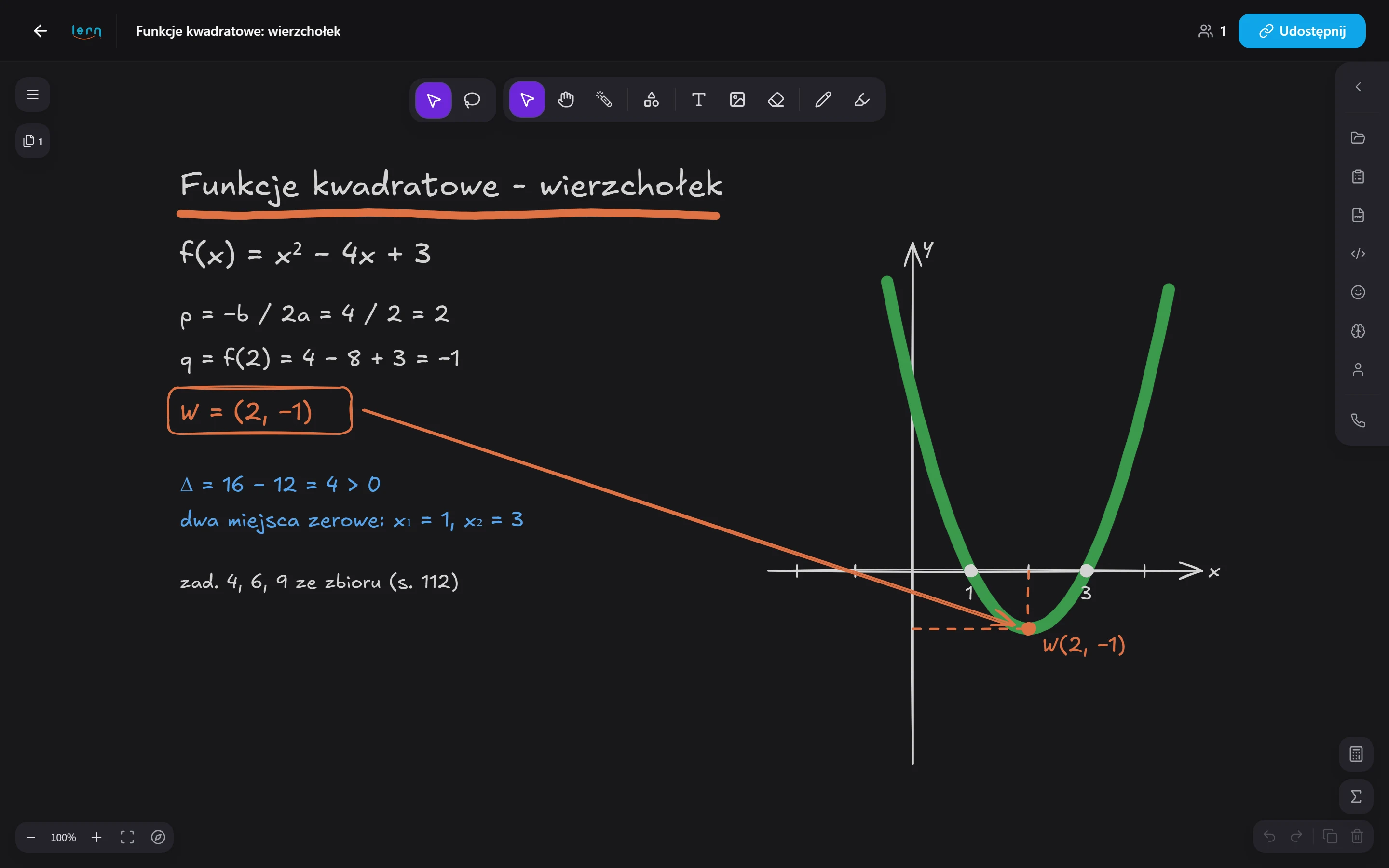
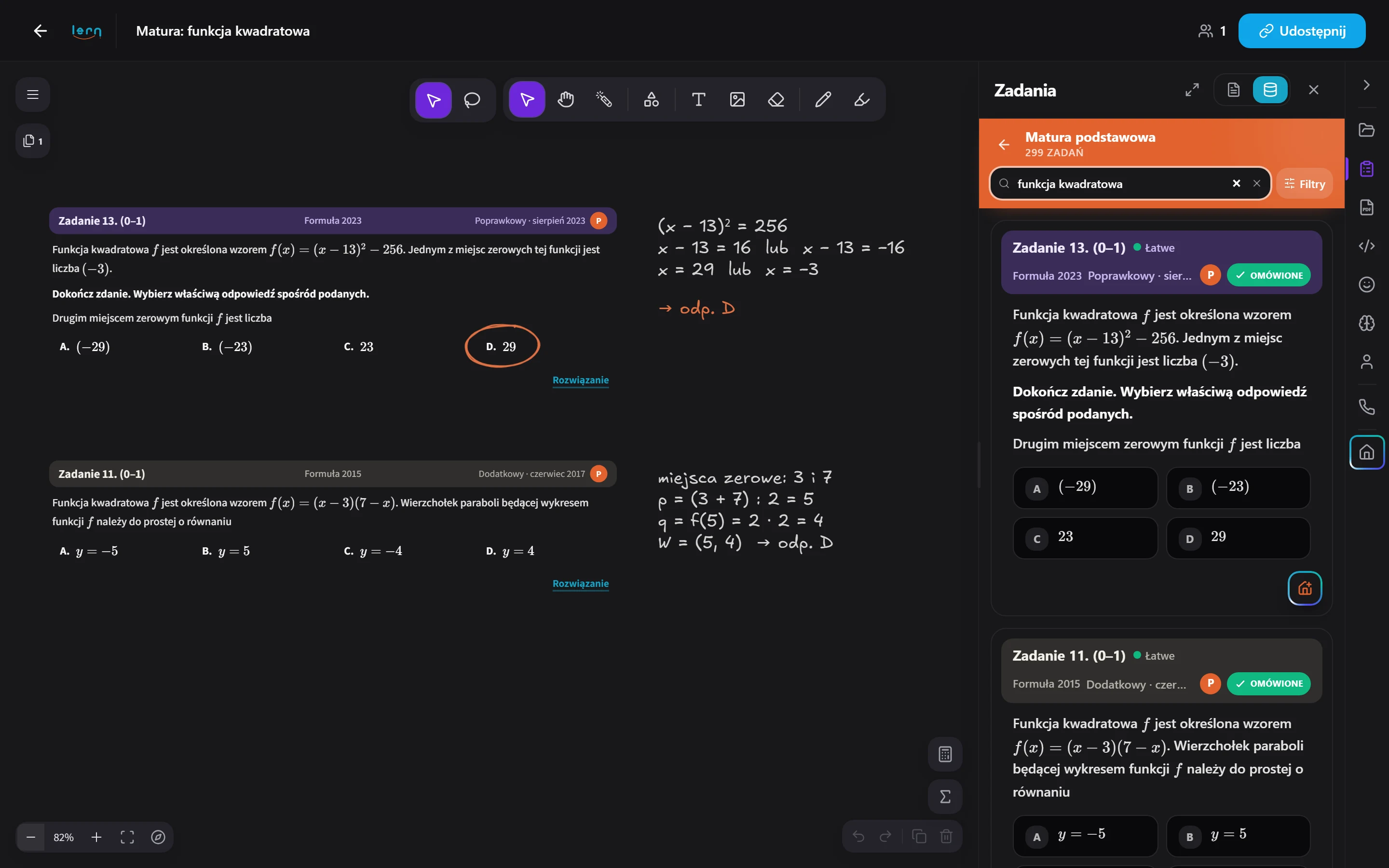
A shared whiteboard built for tutoring: you open a single link with your student and run the whole lesson - from the first stroke to the topic recap - without jumping between apps.
See module details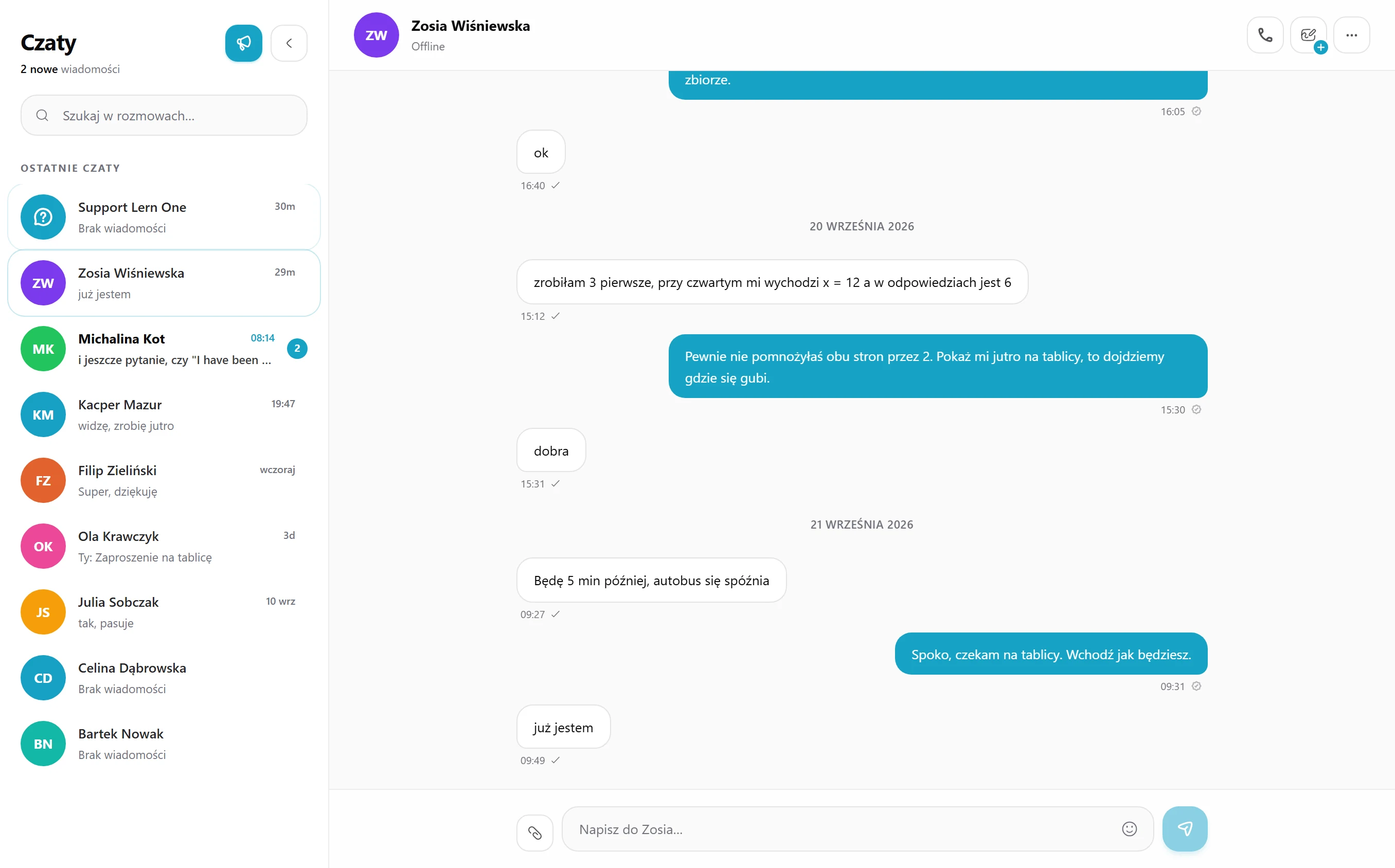
Chats
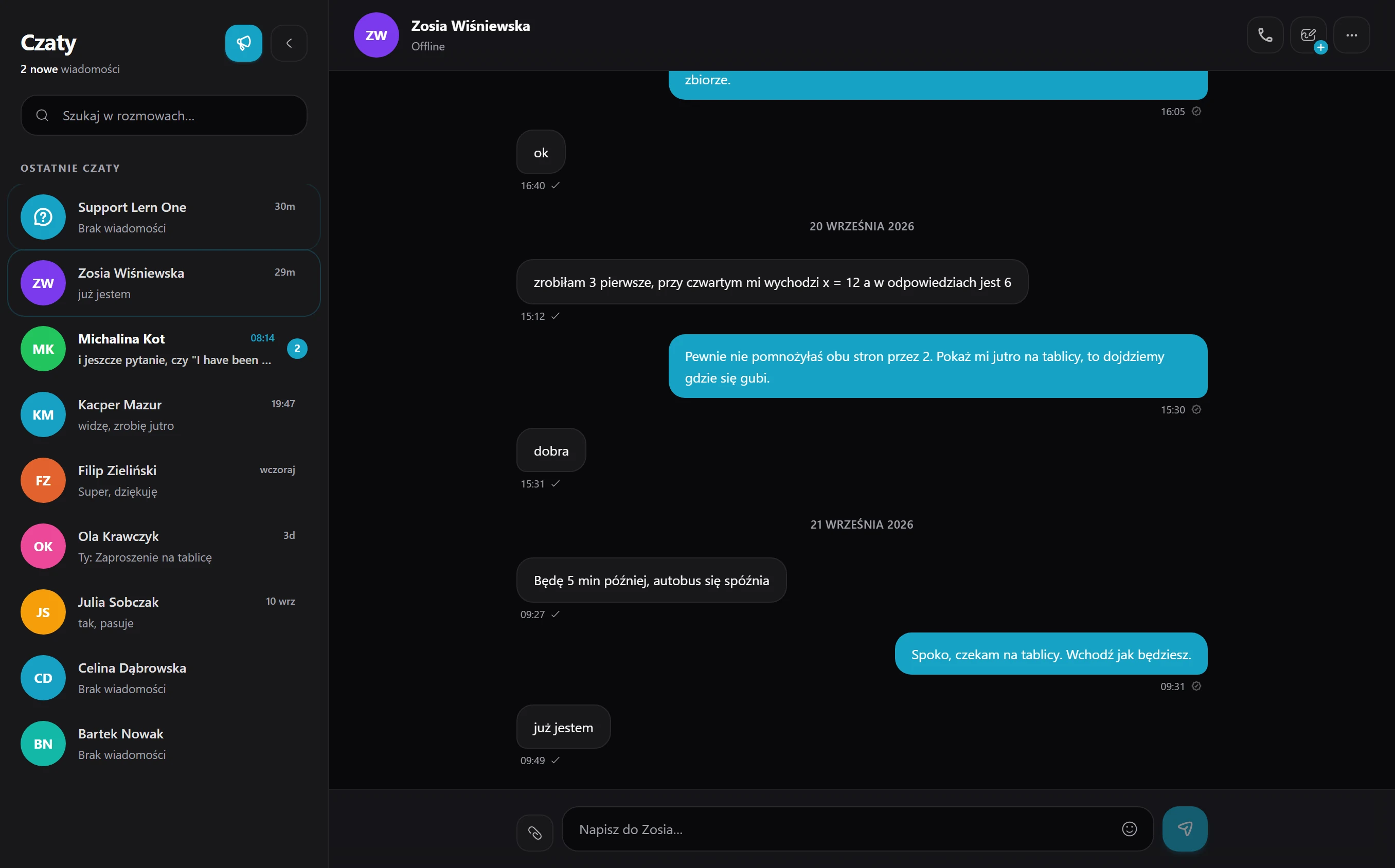
Messages, voice and video with the student happen in a single window, so during the lesson you no longer jump between five messengers.
See module details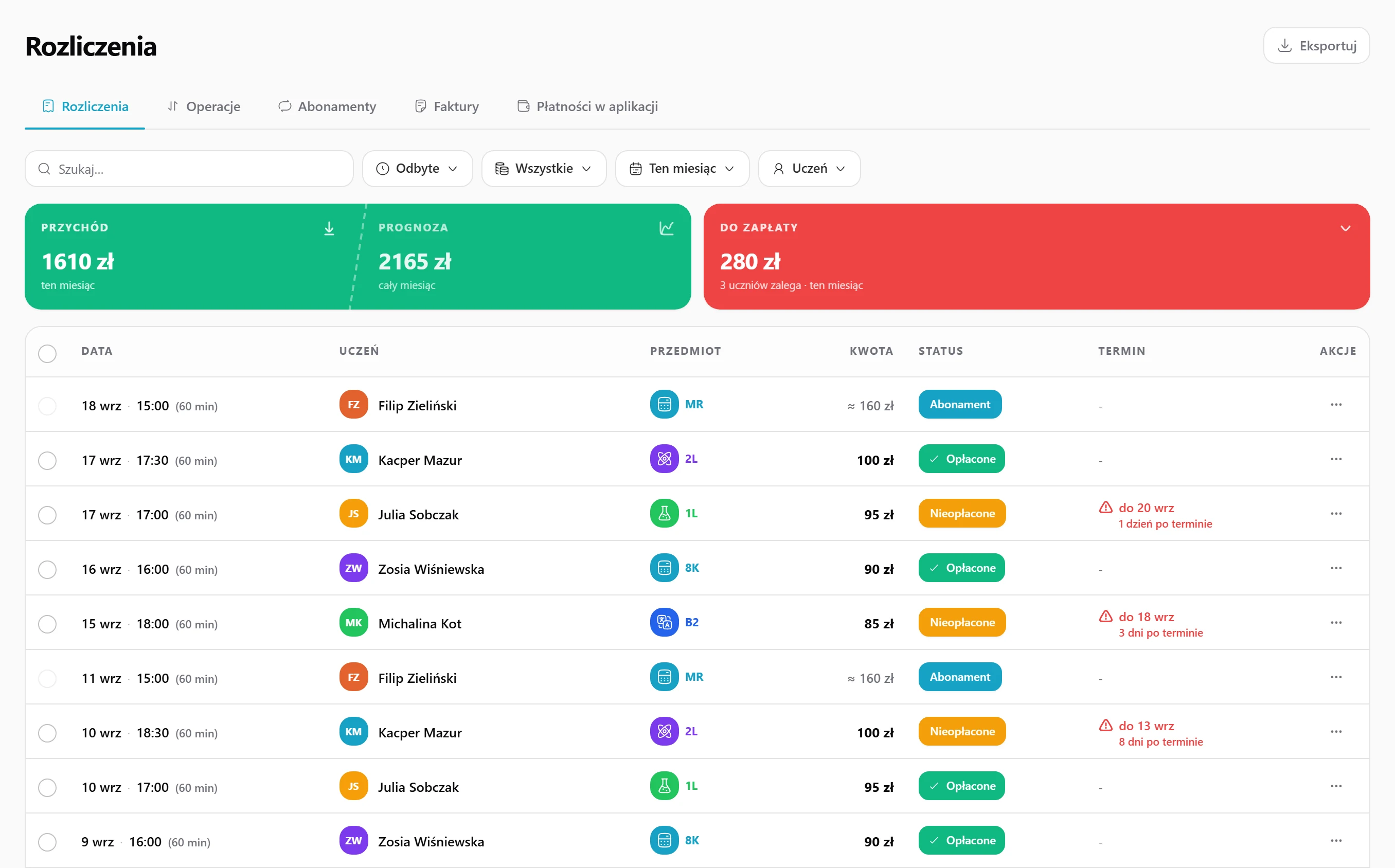
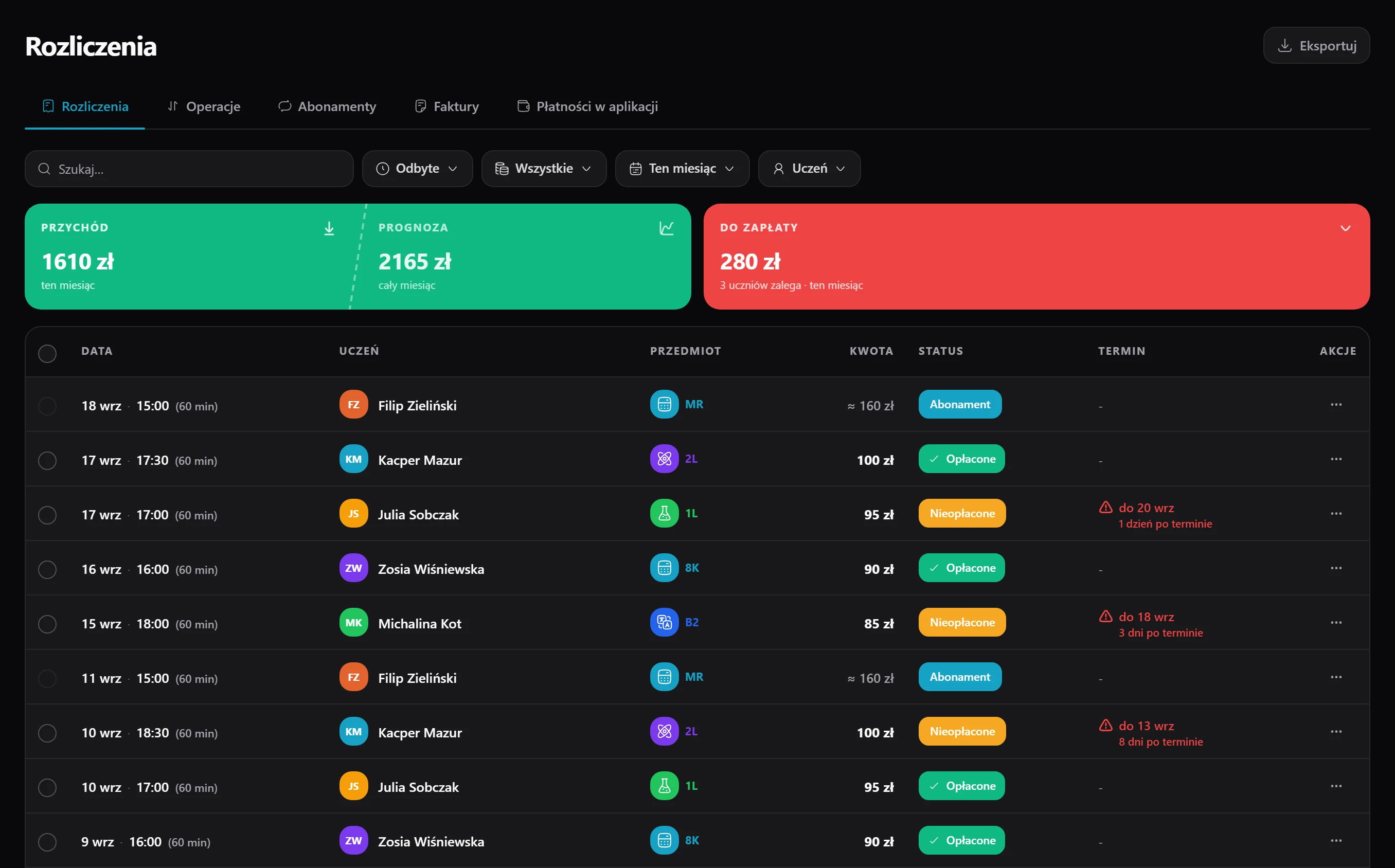
Billing
Bill each student the way you agreed - by the hour, a flat monthly fee or a pack of lessons. Charges build themselves, students pay by card or BLIK, and an invoice is one click away.
See module details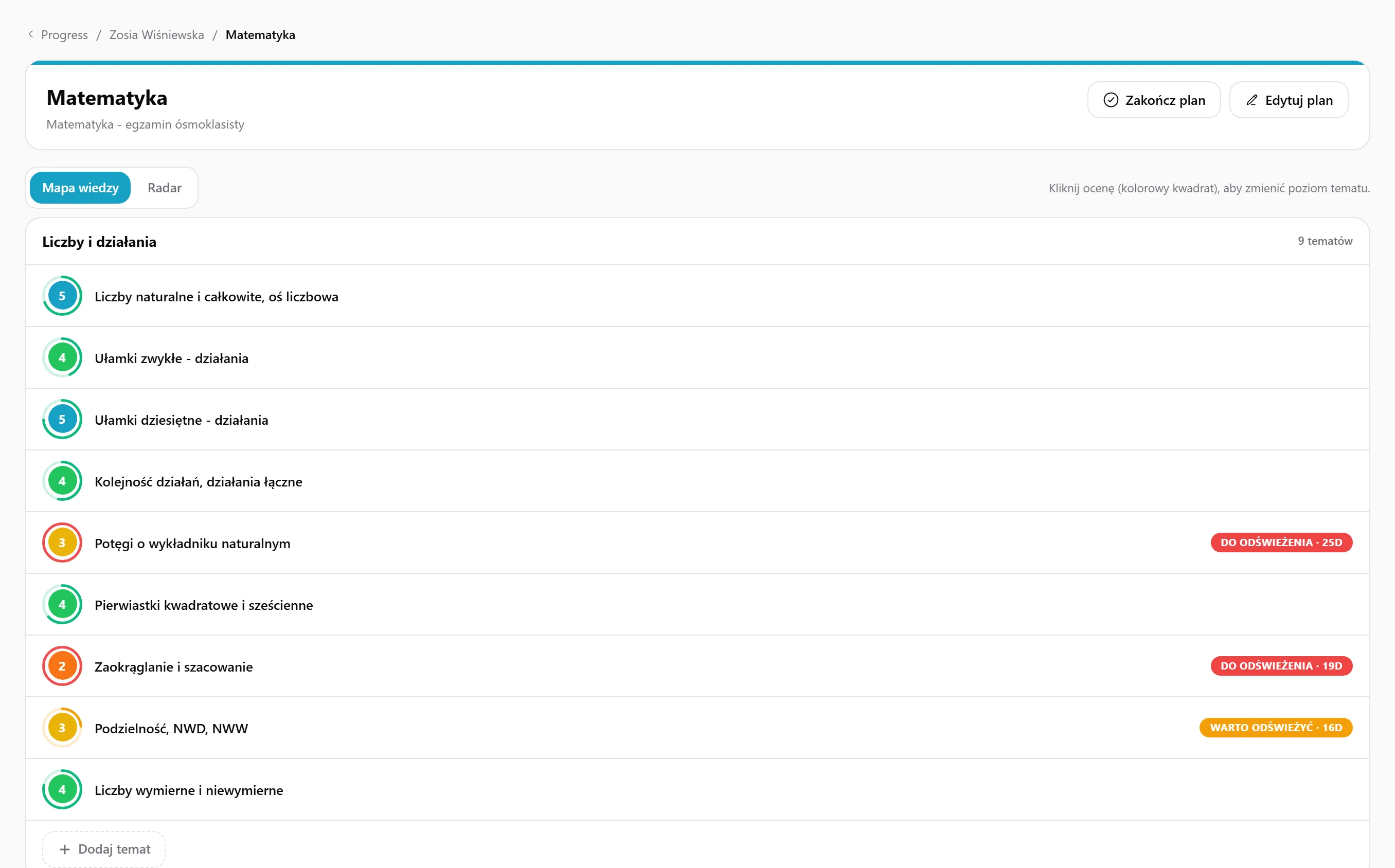
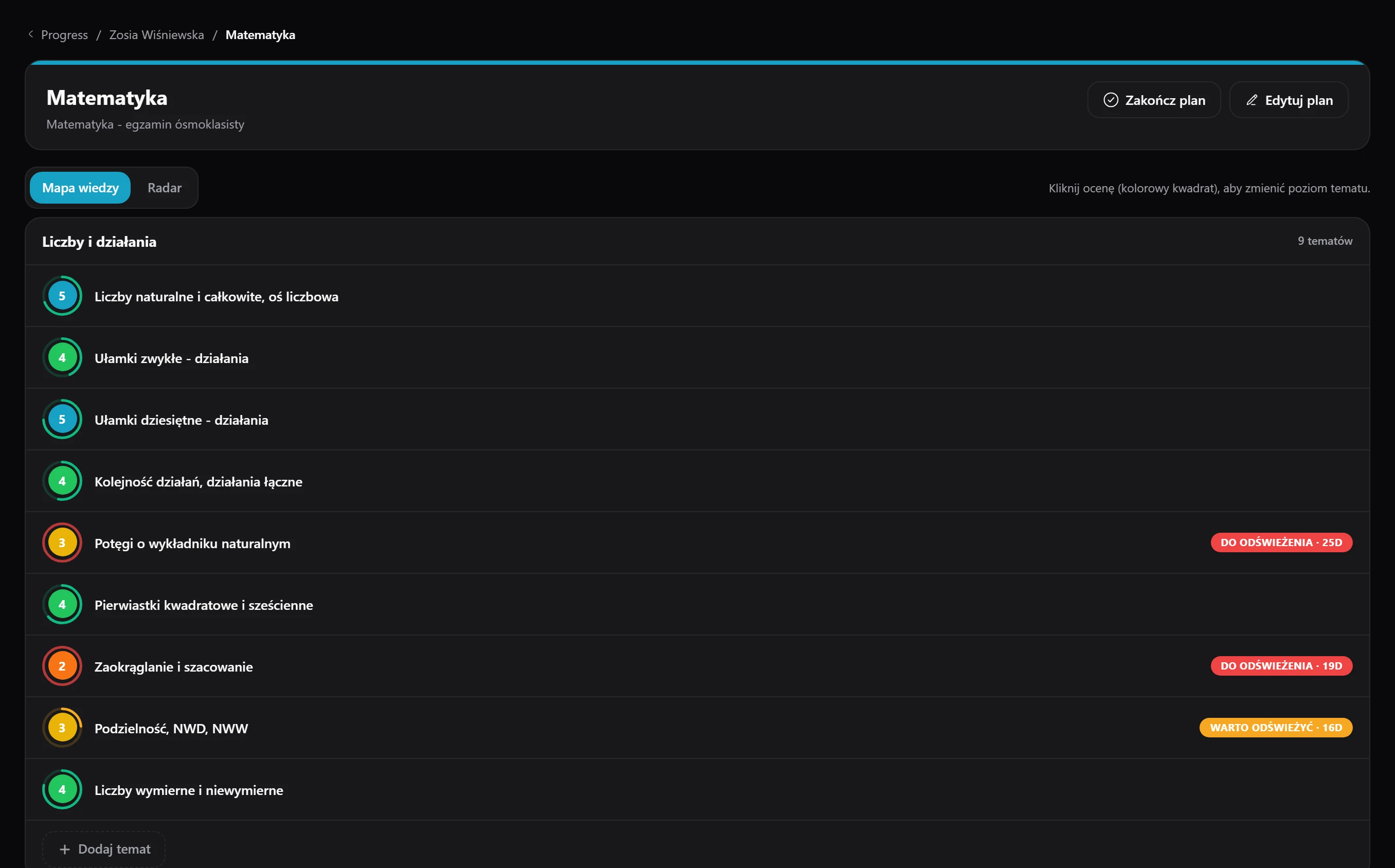
Progress
You guide students through curricula in which you rate every topic on a scale of 1 to 5, while the parent follows everything through a public view link.
See module details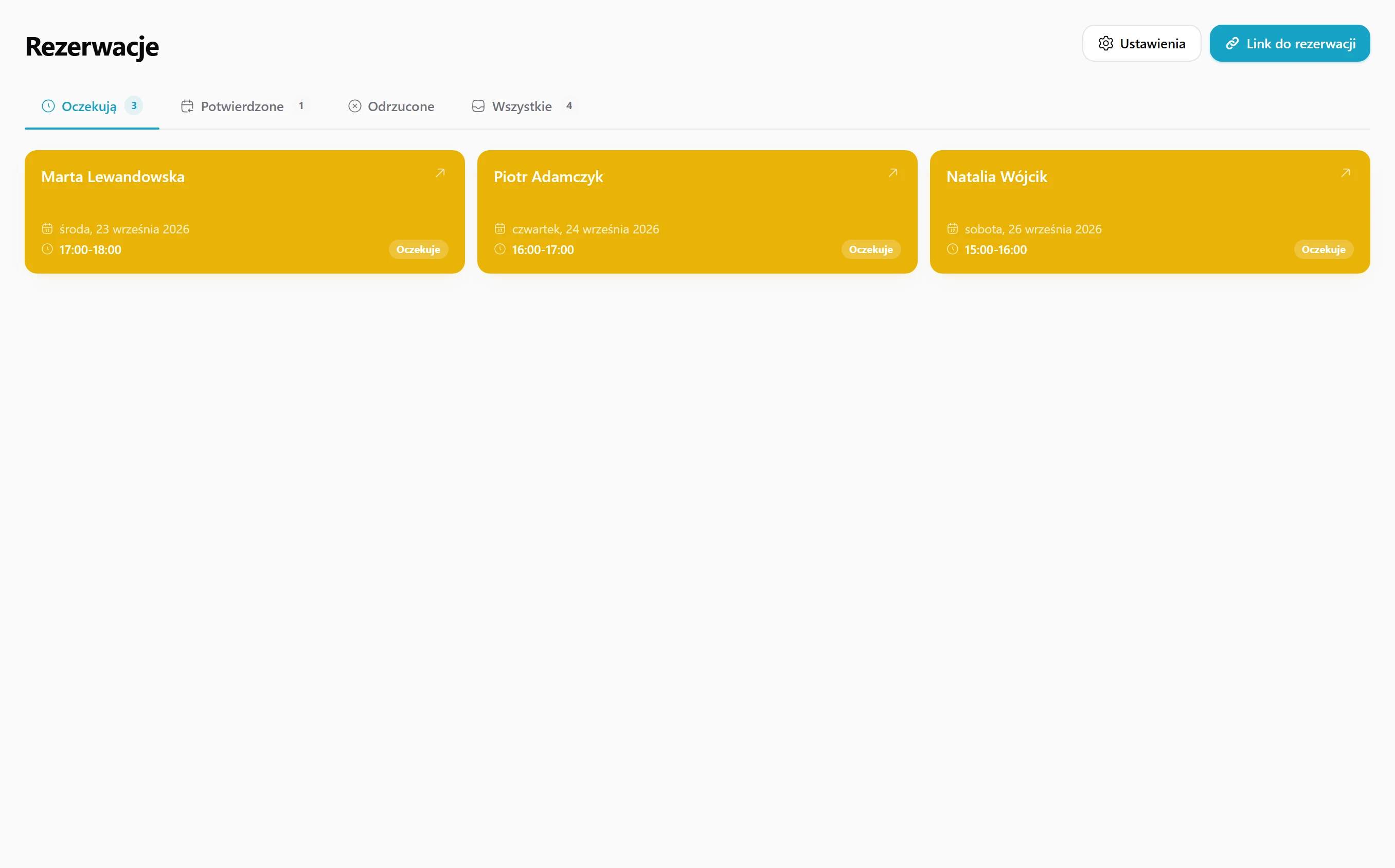
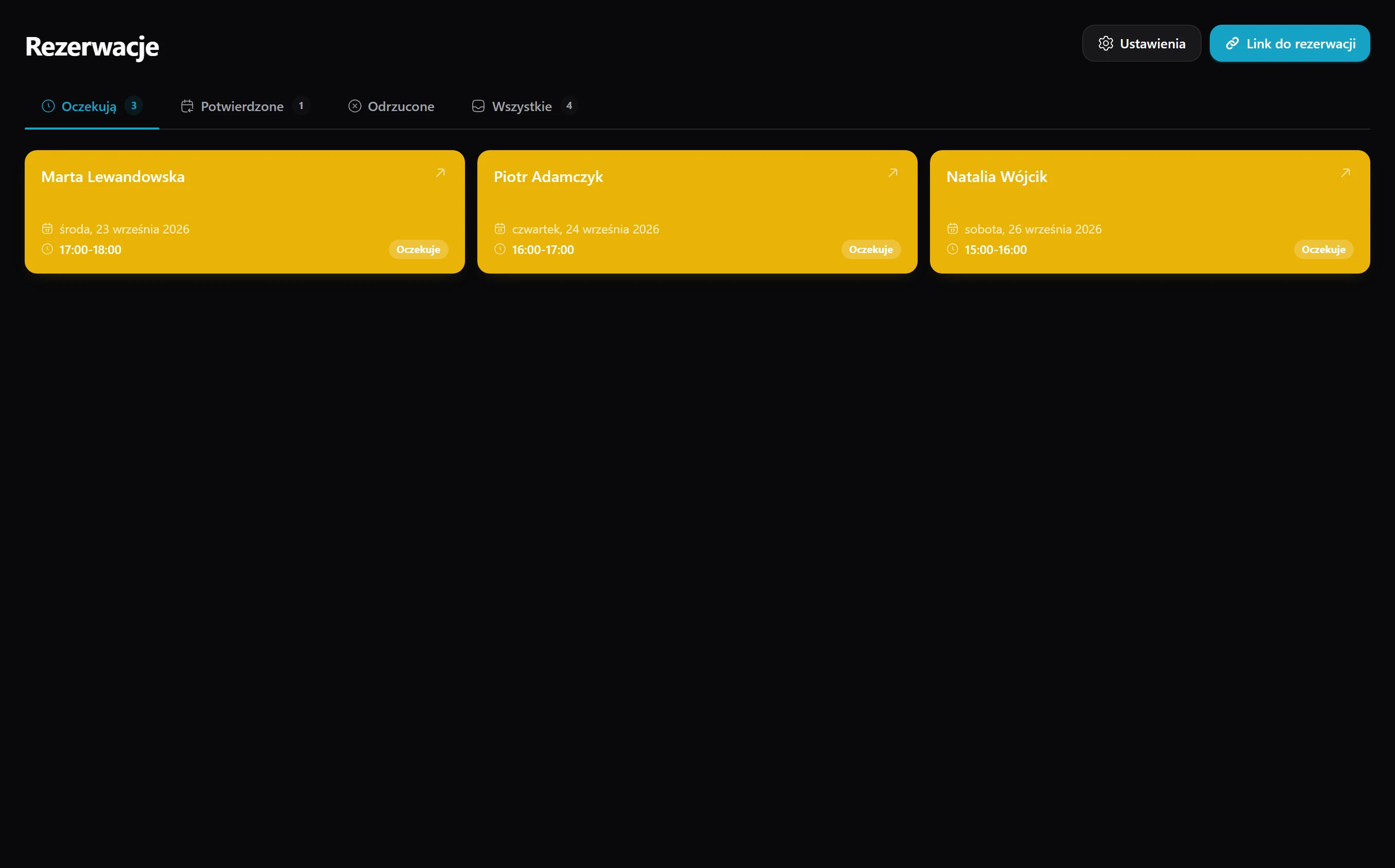
Bookings
Your tutoring calendar gets a public booking page: the student picks a free slot themselves, you accept it, and the lesson syncs to Google Calendar right away - no Calendly, no hassle.
See module details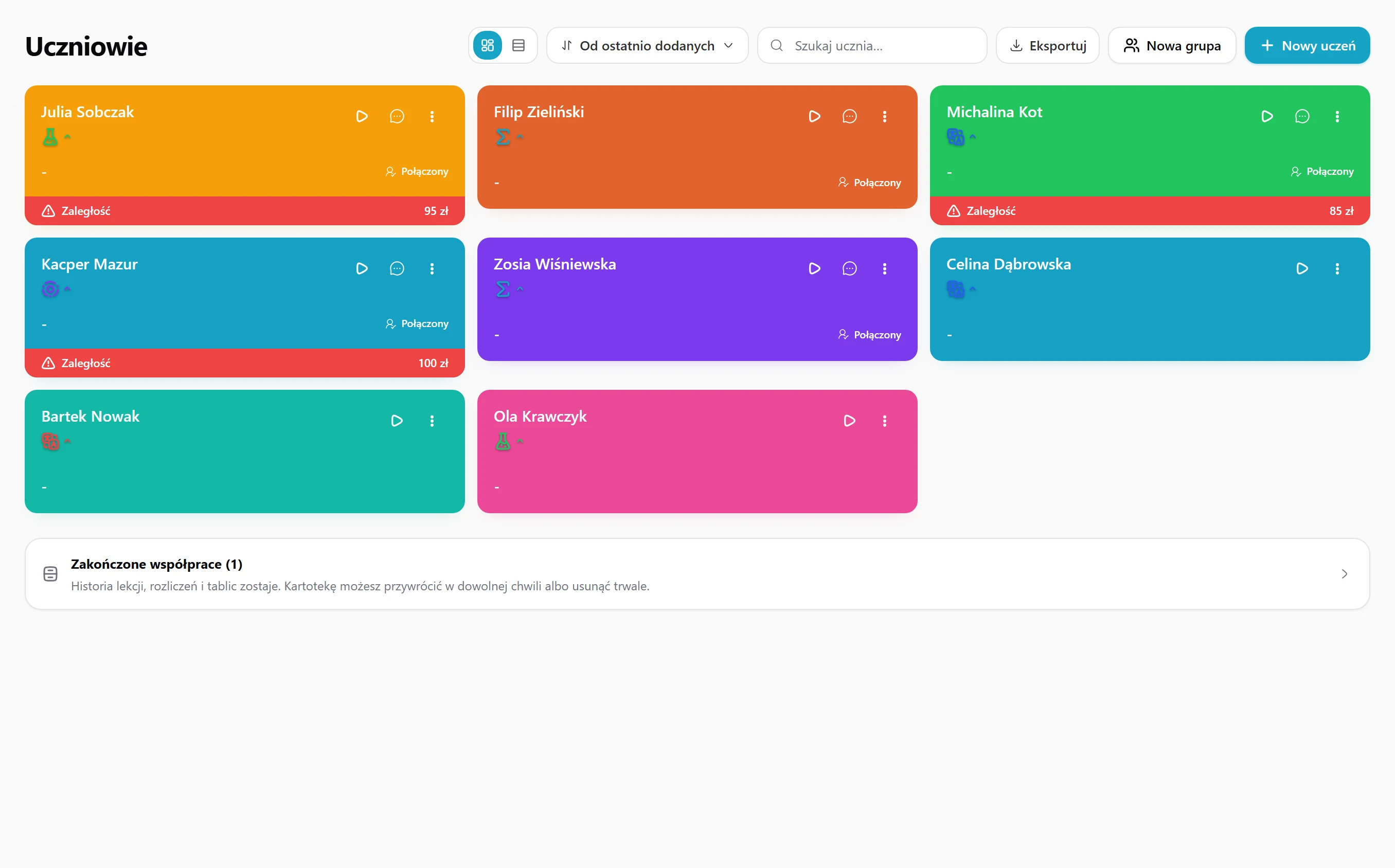
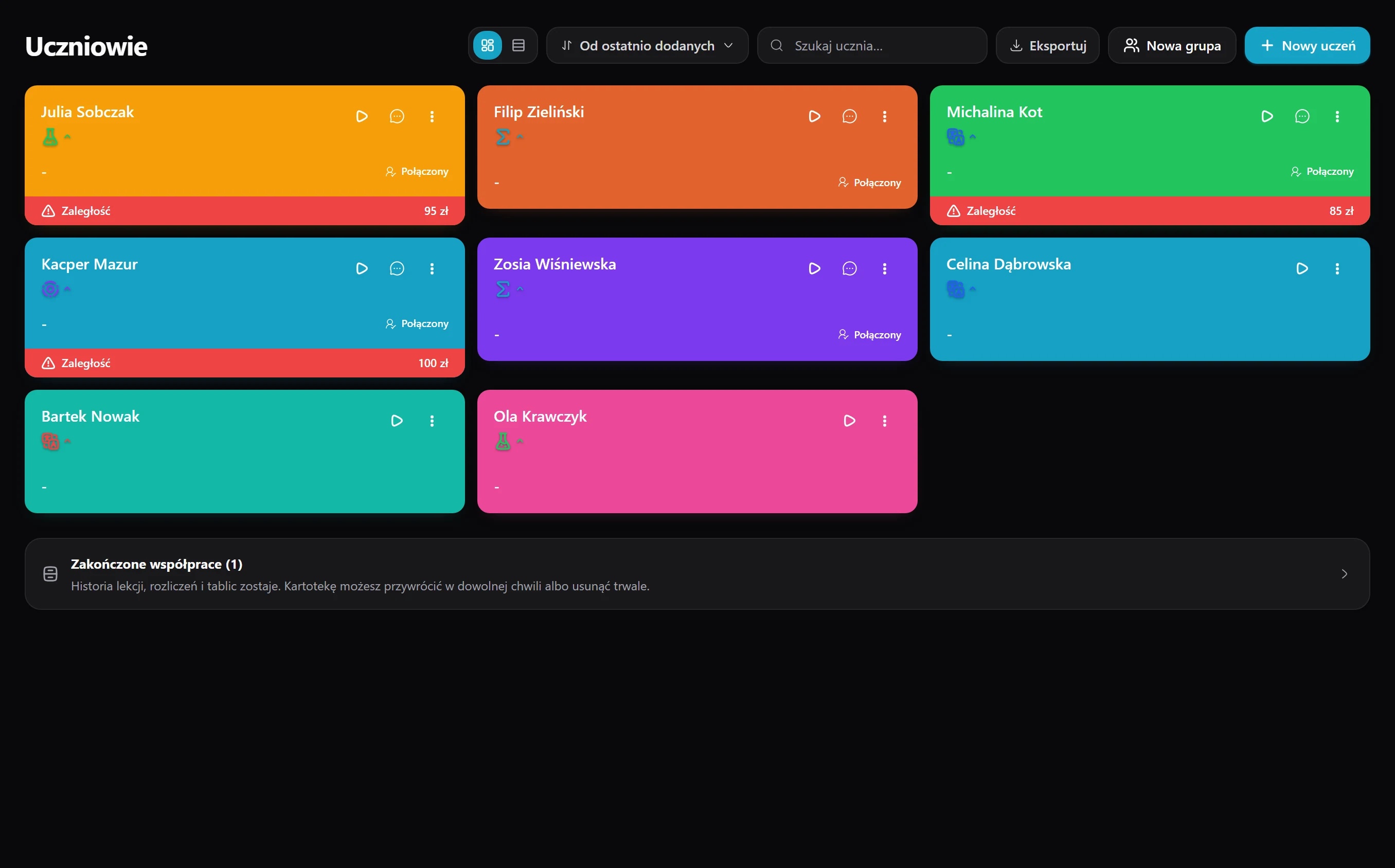
Students
Every student has their own hub with you - profile, rate, schedule and progress - and once their account is linked they see their lessons, boards and homework in a separate panel.
See module details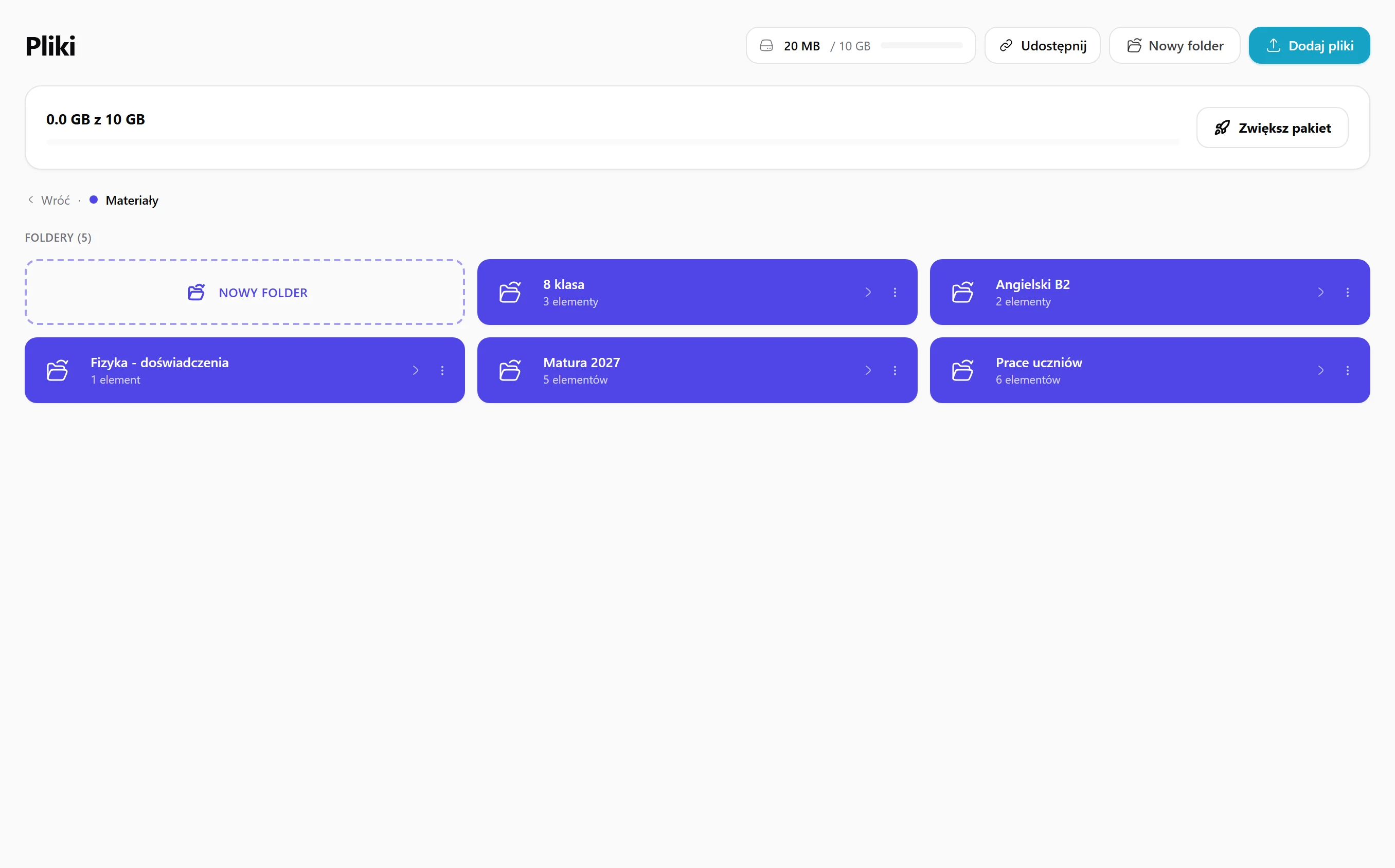
Files
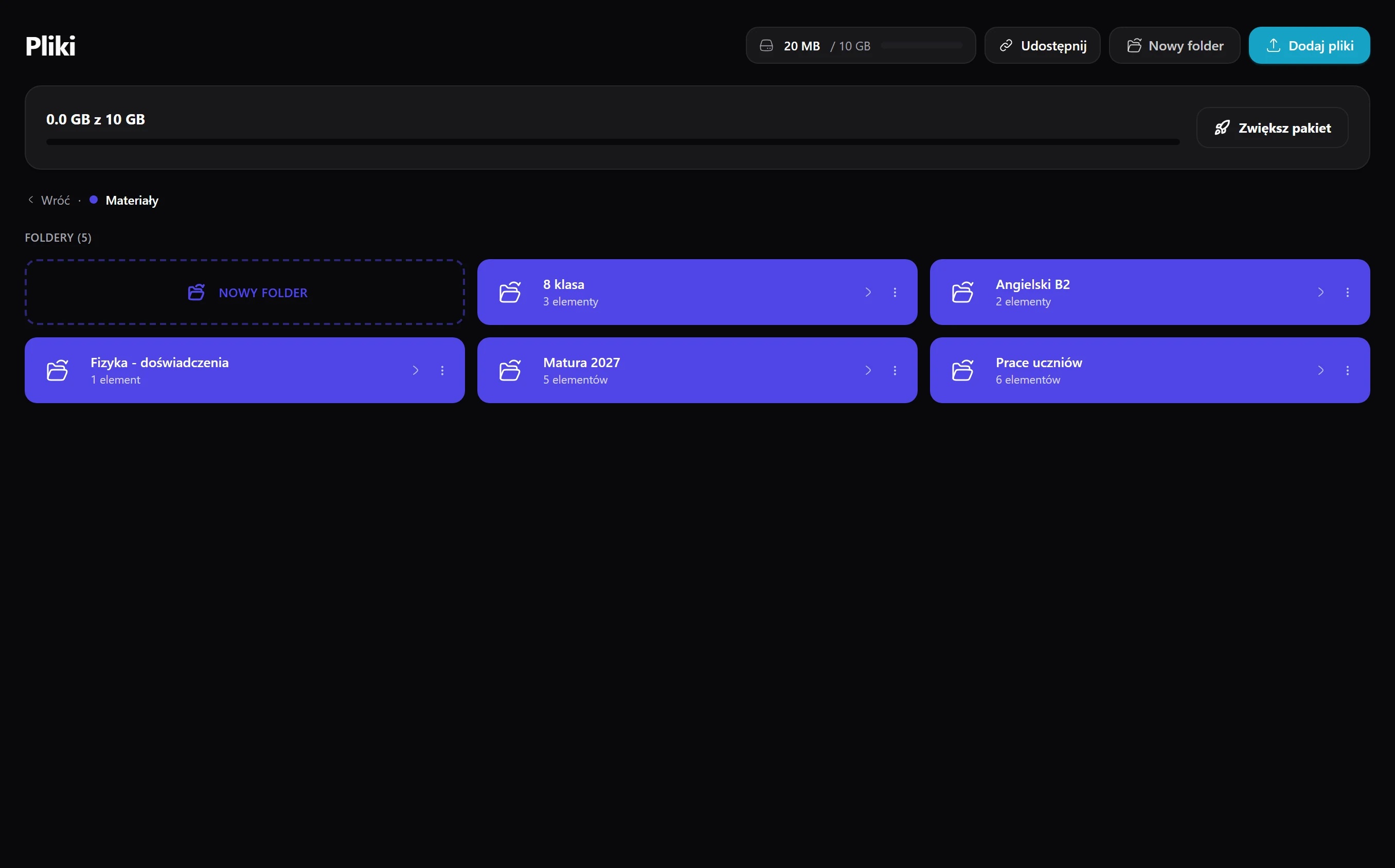
From the start you have two folders - Materials for sharing and private Documents - into which you drag, drop and preview files right in the browser.
See module details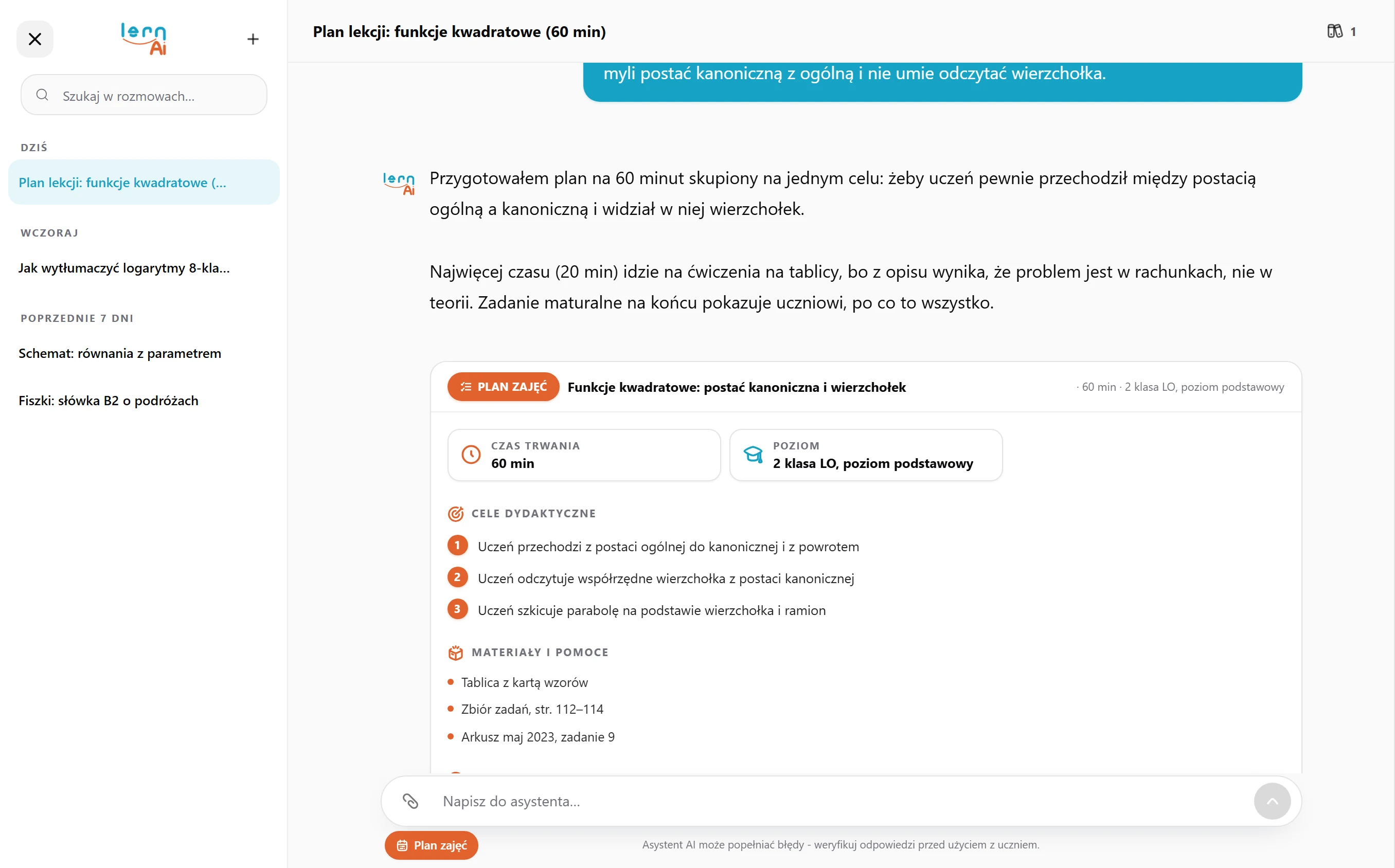
AI Assistant
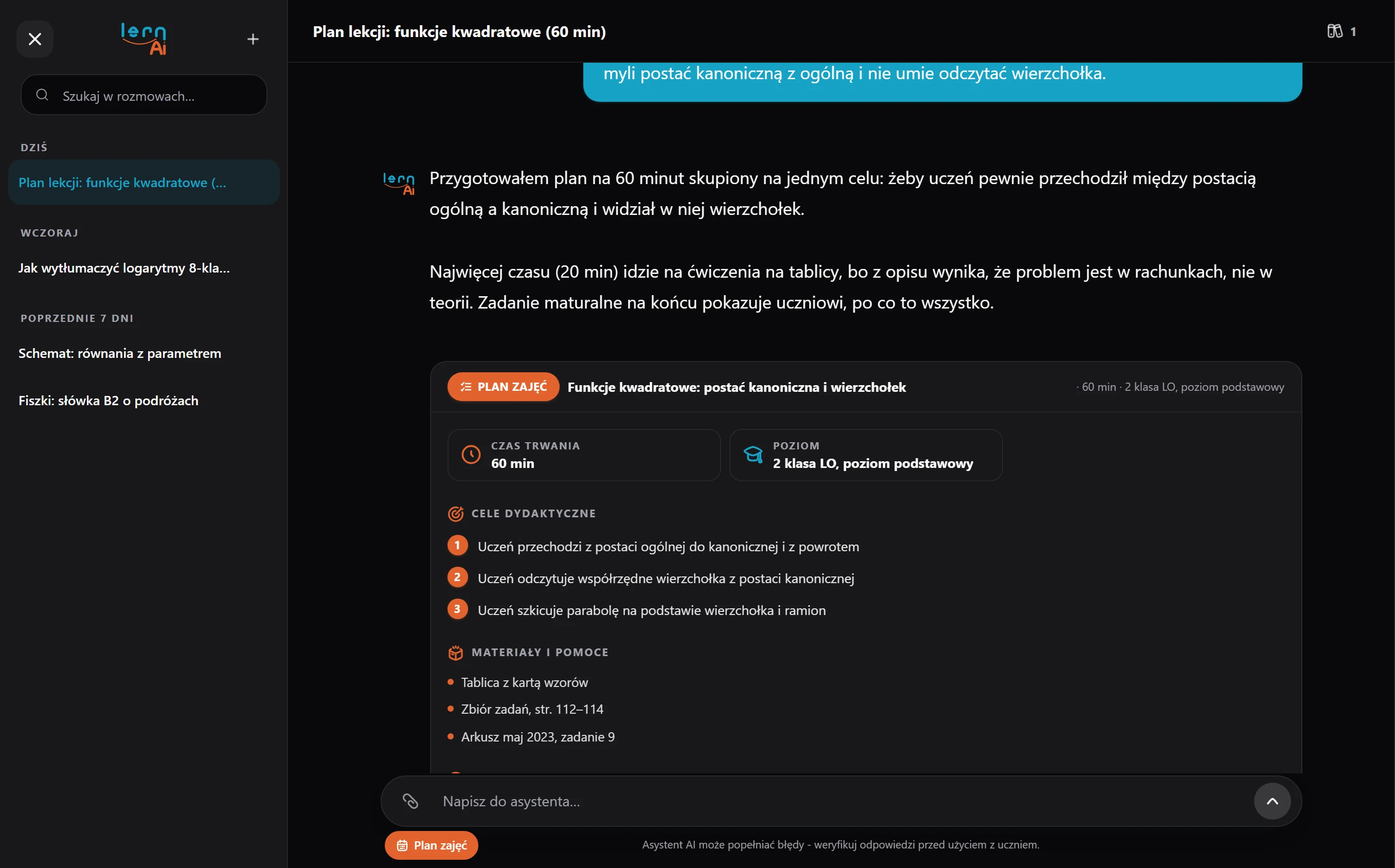
It lays out the lesson plan, generates exercises and checks answers, and does it all with the context of a specific student and their curriculum.
See module details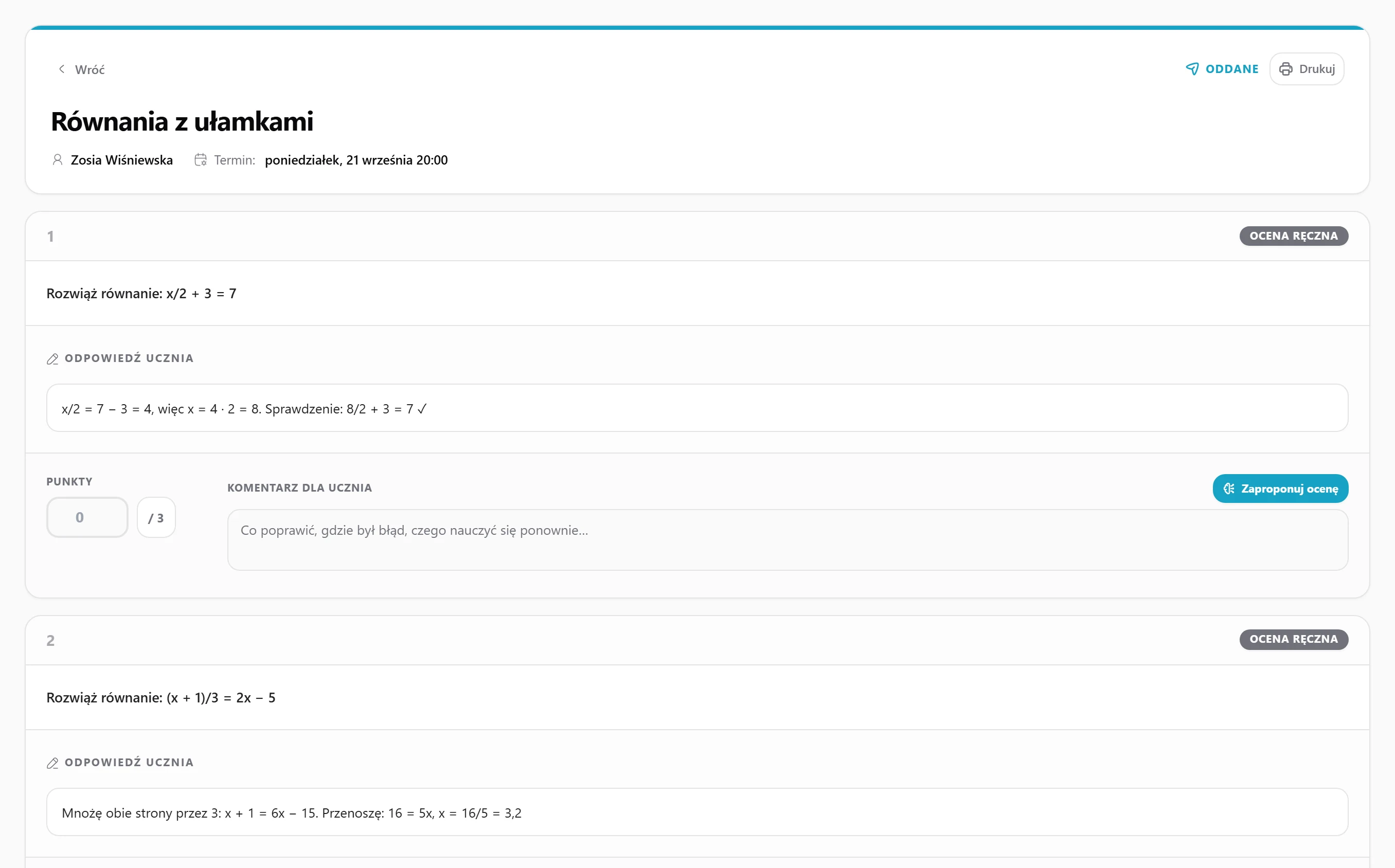
Homework
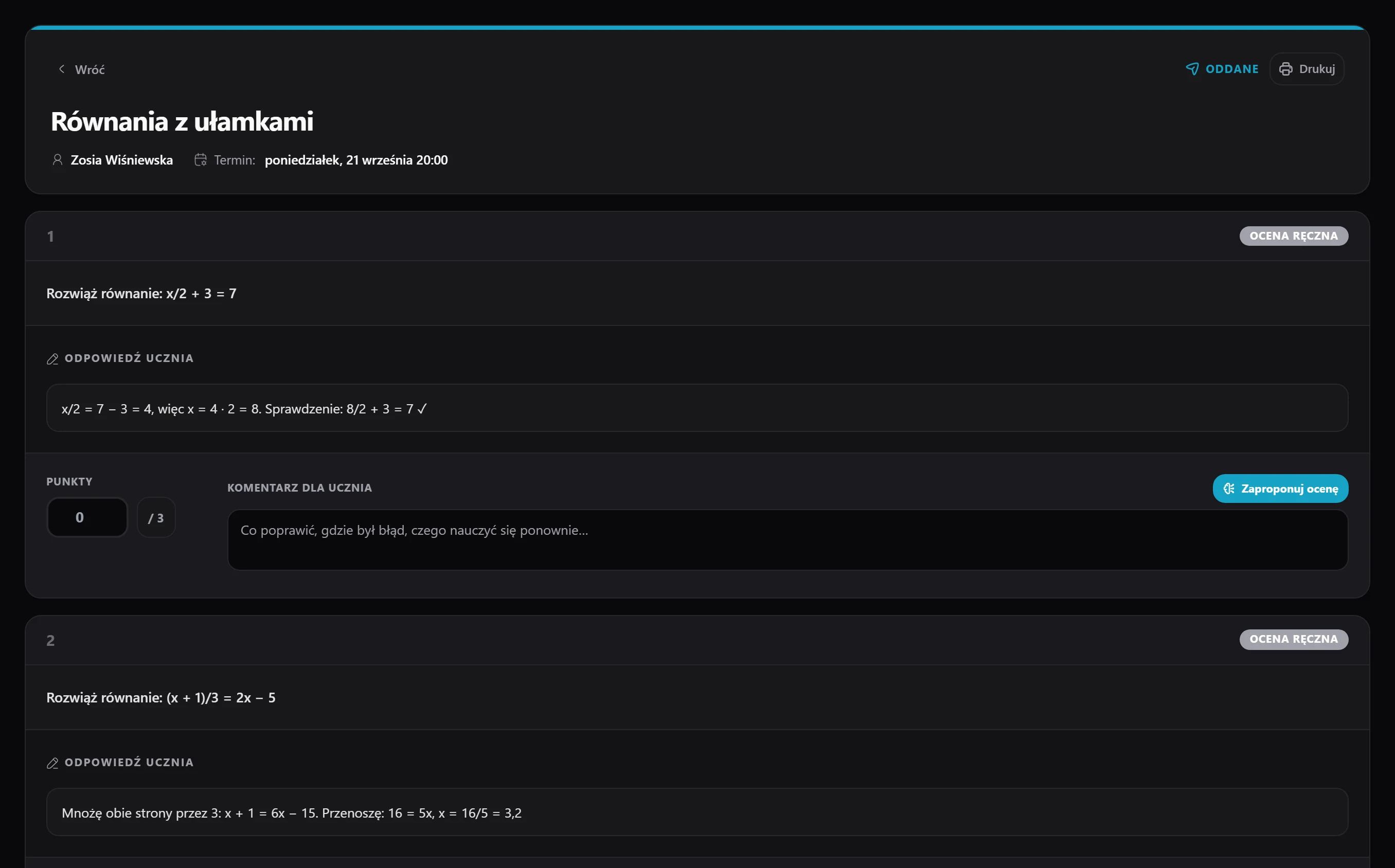
You set work with a deadline, the student submits it through their panel, and you grade it - no paper sheets and no emails with attachments.
See module details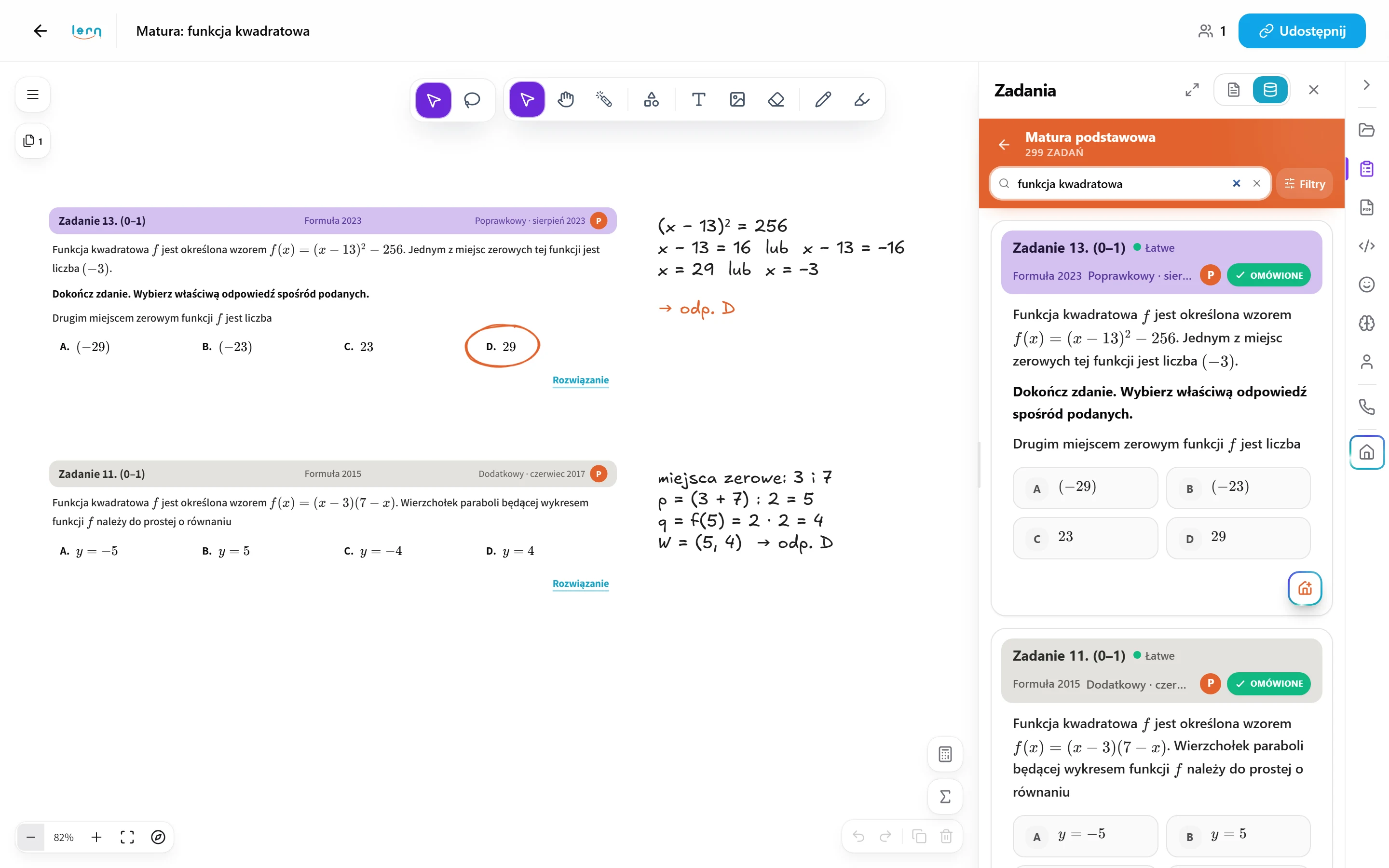
Tasks
Nearly 5,000 exercises in maths, physics and chemistry - each with a full step-by-step solution - that you paste onto the board, add to homework or send to a student. We grow the library every week.
See module details
Why one app
A tutor teaching online usually needs five tools at once: something to draw on, something to talk through, a calendar, a place for files and a way to get paid. Each one is fine on its own. The trouble starts between them, when a slot from the calendar has to be retyped into billing and the whiteboard link sent over three messengers.
lern.one was built as a single tutor app in which these parts know each other. A student added once shows up in the calendar, on the whiteboard, in billing and in the progress history.
The questions we hear most.
Before you sign up - a few answers that save you reading the terms.
Is lern.one a tutor app or a platform for finding students?
It's a tool for running lessons, not a listings board. The students are yours - lern.one gives you the whiteboard, calendar, billing and the rest of the toolkit so you stop juggling five apps. You add the students you already have and work with them in one panel.Do I have to use all the modules at once?
No. Each works on its own. Many tutors start with the whiteboard and calendar and add billing or homework a few weeks later. The modules still see each other - a lesson from the calendar lands in billing, a whiteboard from a lesson in the student's history.Does the student need an account?
No. They open the whiteboard from a link, hand in homework from a link, and a parent views progress from a link. A student account is optional - it gives them their own panel with lesson history, chat and files, but nothing is blocked without it.How much does it cost?
Nothing for the first 14 days: you create an account and get every feature right away, with no card. Then you choose a plan: Basic 49 zł, Pro 69 zł or Ultimate 99 zł a month, and 17% less with yearly billing. The full plan comparison is on the pricing page.Does lern.one work on a phone or tablet?
Yes, in the browser, with nothing to install. The tutor panel is more comfortable on a computer, but the whiteboard, chat and calendar view work on a phone too. A student can upload a photo of their solution straight from the camera.
Create an account and try every module for free.
14 days of full access for free, no card and no contract. Nothing renews on its own, you choose a plan afterwards.
Get started for free