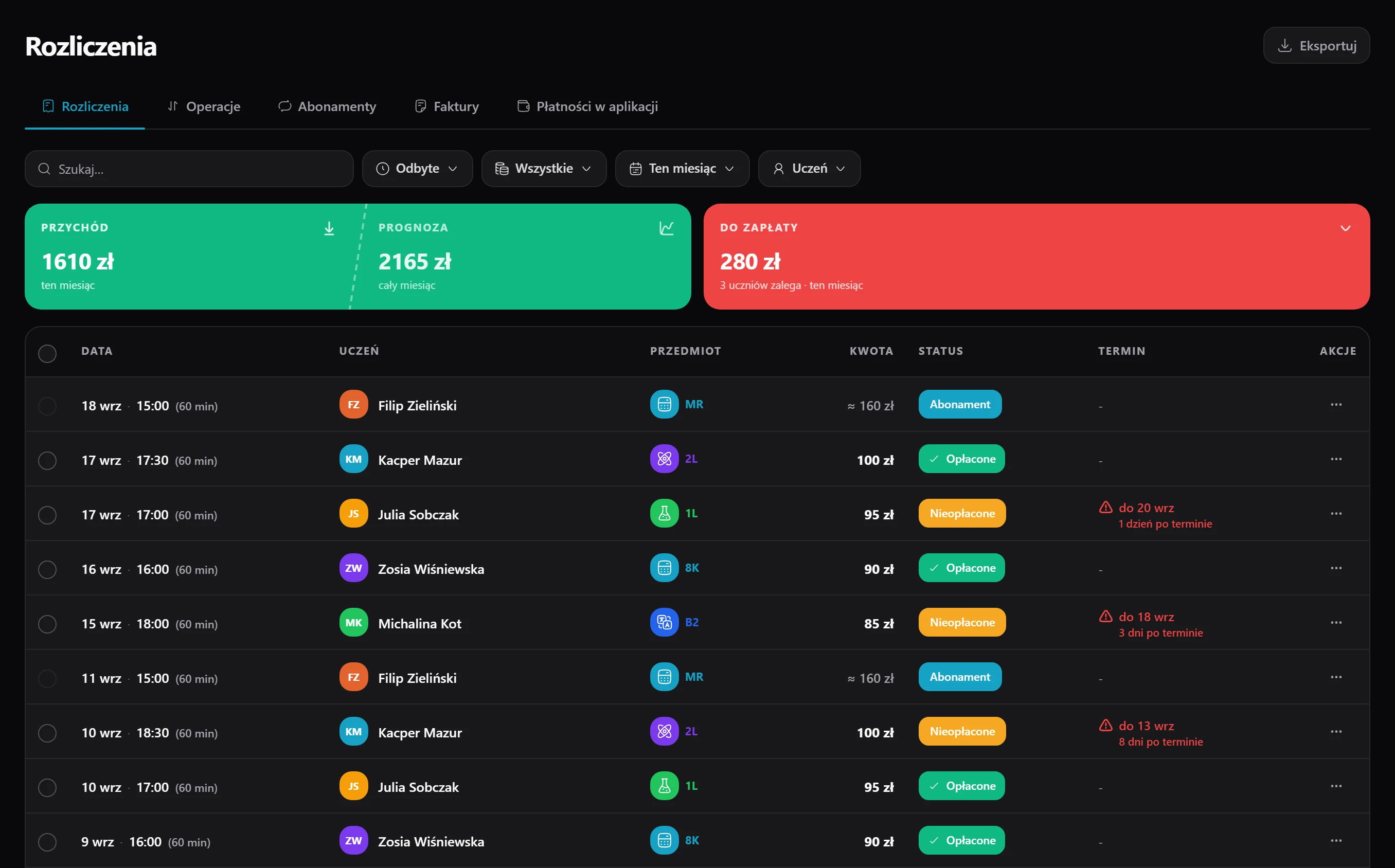
A plan instead of counting hours
Set a flat fee per calendar month or per 30 days, and lessons inside that period stop being priced one by one.
Bill each student the way you agreed - by the hour, a flat monthly fee or a pack of lessons. Charges build themselves, students pay by card or BLIK, and an invoice is one click away.
14 days of full access, free, no card
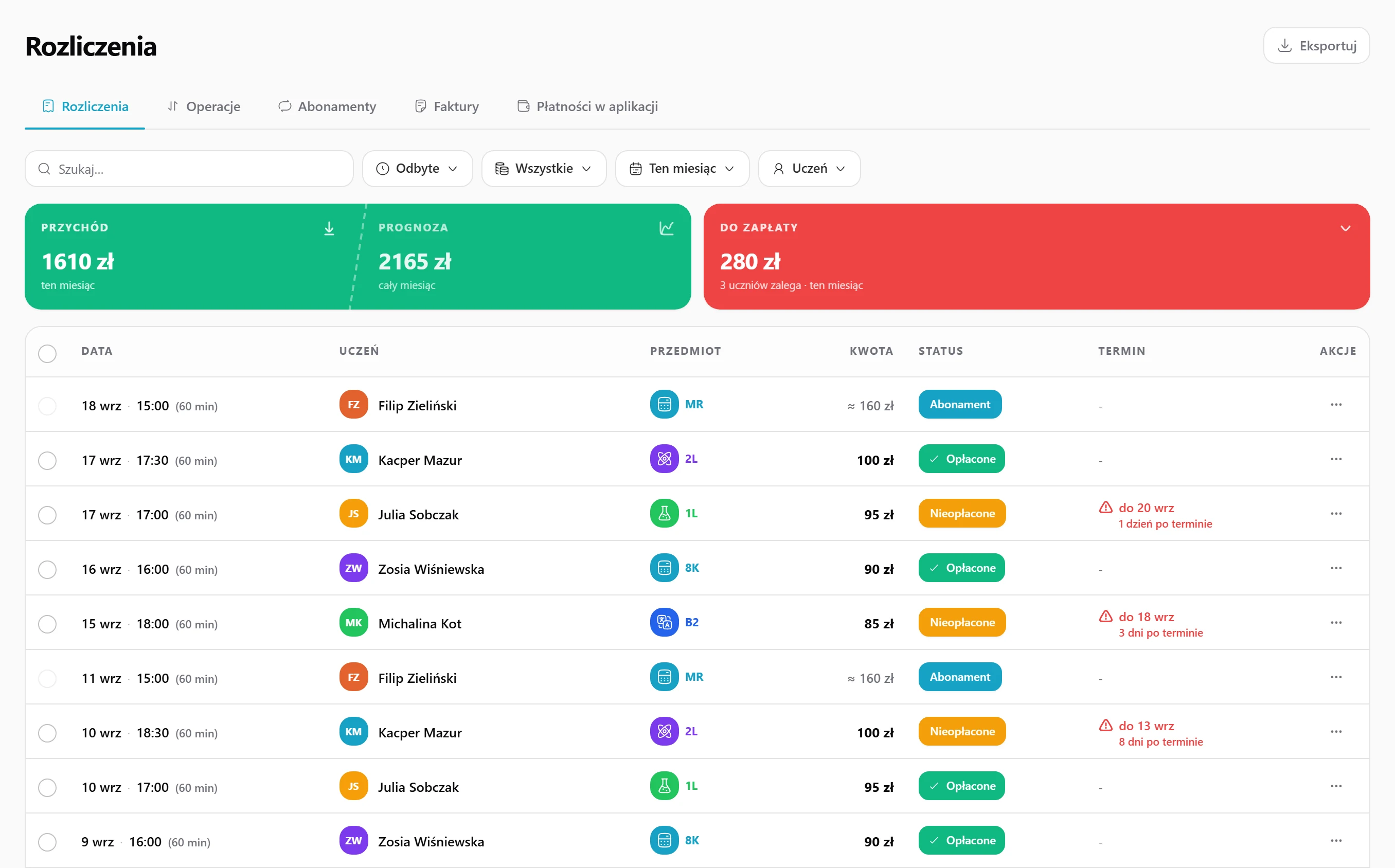
Set a flat fee per calendar month or per 30 days, and lessons inside that period stop being priced one by one.
One price for eight or ten lessons paid upfront. You see how many the student has used, and the next pack opens on its own once it runs out.
The student adds a card once and every following period is charged automatically - no monthly reminders, no new links.
Send a link for a single lesson, a period or a pack. The student pays on their side and the money lands straight in your account.
Overpayments cover the next charges by themselves, arrears sit in one list, and the due-date reminder goes out by email without you.
With or without VAT, your own numbering, company details saved once. The PDF lands in your Documents folder and can be emailed right away.
On the student you pick an hourly rate, a flat fee per period or a lesson pack. Set it once, change it whenever you need.
After a lesson the amount joins the list of dues, while lessons covered by a plan or pack are marked automatically instead of being charged twice.
Send a card or BLIK link, or let the system charge the saved card. The balance updates immediately.
One click turns the ready line items into an invoice, and the money reaches your bank account on the schedule you choose.
One per lesson, one monthly, one upfront for a pack.
Payments, overpayments and corrections settle the balance on their own.
We only take it when your student actually pays.
Three typical situations where tutors put this to work.
Students come every week and pay a fixed monthly amount. Set up a subscription once, and the student's card can be charged automatically, with no reminders and no payment links.
You sell a 10-lesson package before the matura. You see how many sessions the student has used, and when the package runs out, the next one opens automatically as an amount due.
Parents ask for an invoice. Issue it in one click from ready-made line items, with or without VAT, and the PDF lands straight in your Documents folder.
Here's how it usually goes without Lern.
Data flows between modules on its own, so you never retype anything.
Set up a subscription: a fixed amount per calendar month or per 30 days. Lessons in that period are no longer priced one by one.
Yes. You set a price for a pack, for example 8 or 10 lessons, and see how many the student has used. When a pack runs out, the next one opens automatically.
By card or BLIK through a link you send, or automatically from a saved card on a subscription. You can also record cash or bank transfer payments.
Lern takes 1.5% of each payment the student actually makes, plus the standard fee of the payment provider, Stripe.
Lessons bill themselves, and you issue an invoice in one click.
Get started for free