

Work together, no account
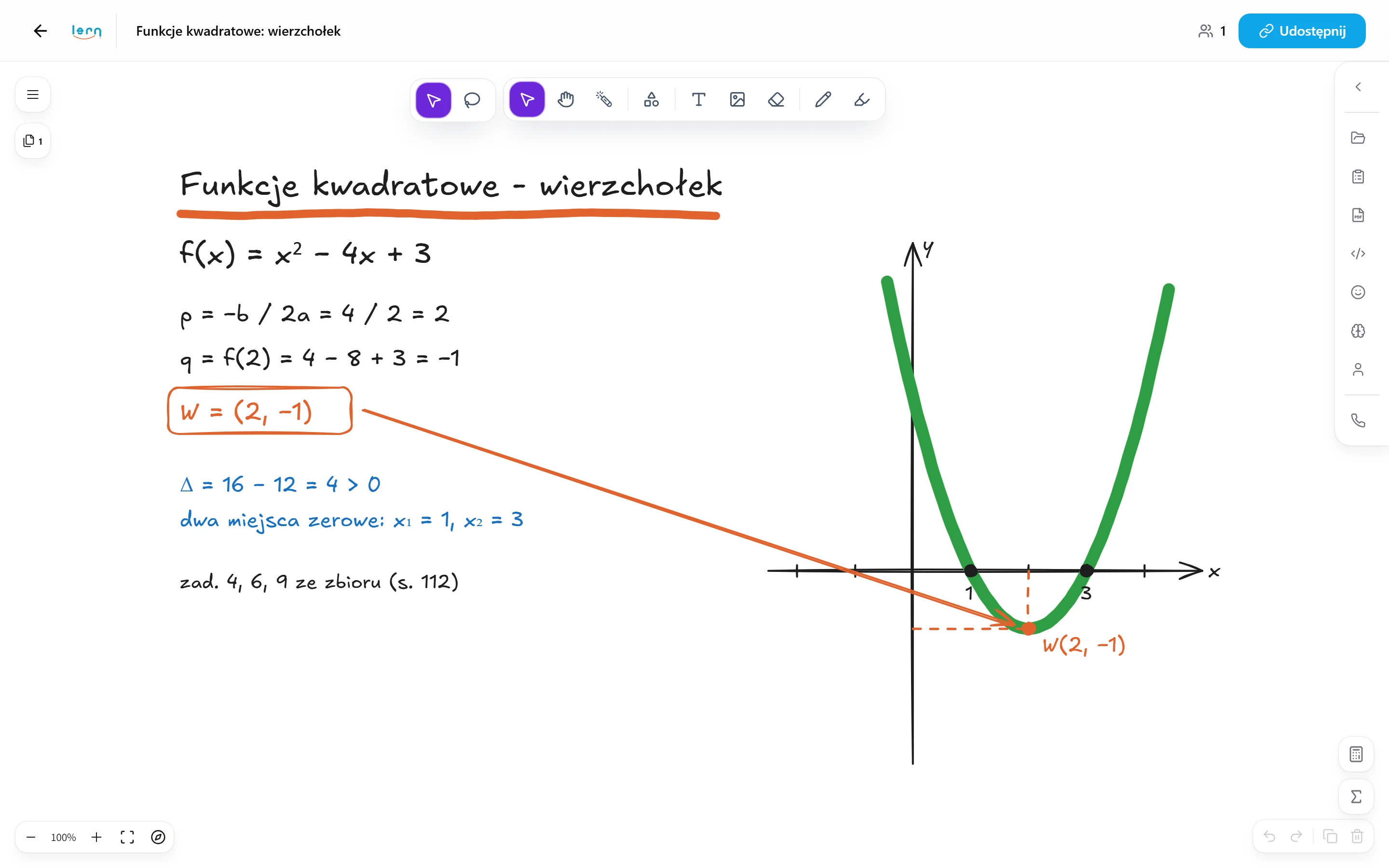
You send the student a link and they hop onto the whiteboard instantly, without creating an account - your pen and theirs work on the same surface.
A shared whiteboard built for tutoring: you open a single link with your student and run the whole lesson - from the first stroke to the topic recap - without jumping between apps.
14 days of full access, free, no card
You send the student a link and they hop onto the whiteboard instantly, without creating an account - your pen and theirs work on the same surface.
Everyone has their own colour and a cursor labelled with their name, so instead of asking "can you see this?", you simply see where the student is writing.
Maths, physics and chemistry come with ready-made charts, triangles and formulas that you just drag onto the board and drop wherever you need them.
A scan of an exercise, a snippet from a PDF or a photo from your phone goes straight onto the board, and the file is saved to your drive right away.
You don't have to save or export anything - every move is stored automatically, so after a break you return exactly where you left off.
A public link for a parent or a classmate lets them view the whole board history, but gives no right to edit it.
You click "New board" and get a ready link straight away - no picking templates, no digging through settings.
With one click you tie the board to a specific student, so their lessons, grades and progress start gathering in one place.
The student opens the link in their browser and is inside right away, no account - you draw, they add on, everything happens at once.
Every move shows up instantly for both of you, a voice call runs in the background, and the board merges your changes itself, so nothing gets lost.
After the session you mark the topics you covered and rate how well they're mastered on a scale of 1 to 5 - the parent gets a ready report and you keep the whole history at hand.
Every stroke saves itself. No “Save” button.
We keep boards for 6 months.
Like standing at the same whiteboard.
Three typical situations where tutors put this to work.
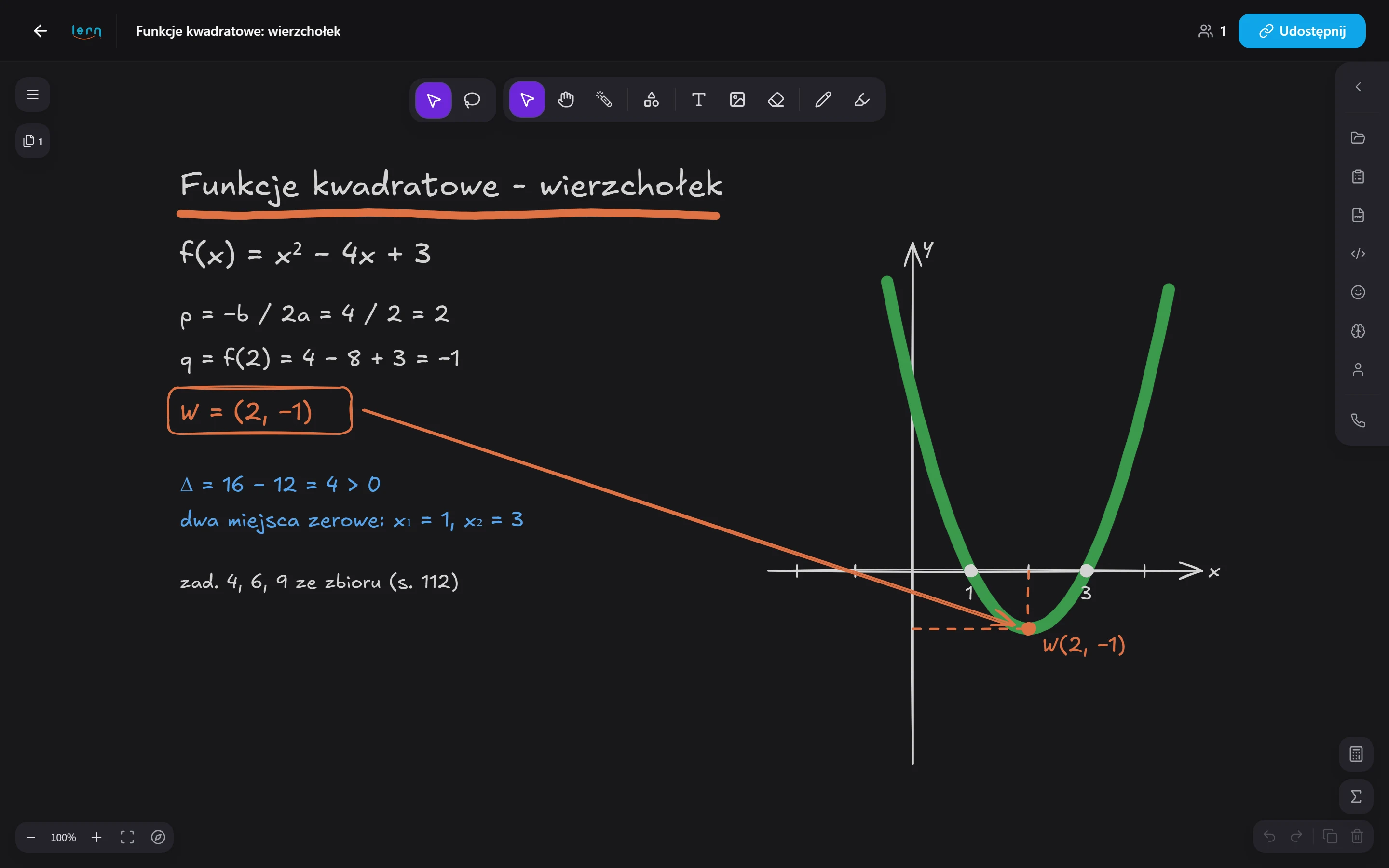
You work through a problem step by step: you draw the graph, your student adds the calculations in their own colour. Drag formulas and shapes from the library, and keep the CKE formula sheet at hand for the whole lesson.
Paste a photo of a text or a textbook exercise, and your student underlines and fills in the answers. The board saves itself, so next time you pick up with the same vocabulary.
Your student doesn't download anything or create an account: they get a link and start writing. The board works on laptops, tablets and phones, so the lesson starts even when all they have is a mobile.
Here's how it usually goes without Lern.
Data flows between modules on its own, so you never retype anything.
No. You send your student a link, they open the board in a browser and can write straight away. An account only matters if the student should get their own panel with lessons and homework.
Yes. Every stroke is saved automatically, so there's nothing to export. After a break you pick up exactly where you left off.
Yes, it works in any browser on a laptop, tablet or phone. Nothing to install.
Yes. A read-only link lets them view the board without being able to edit it.
Add a student and a topic - materials and their work land on one board.
Get started for free