
Ready-made curriculum templates
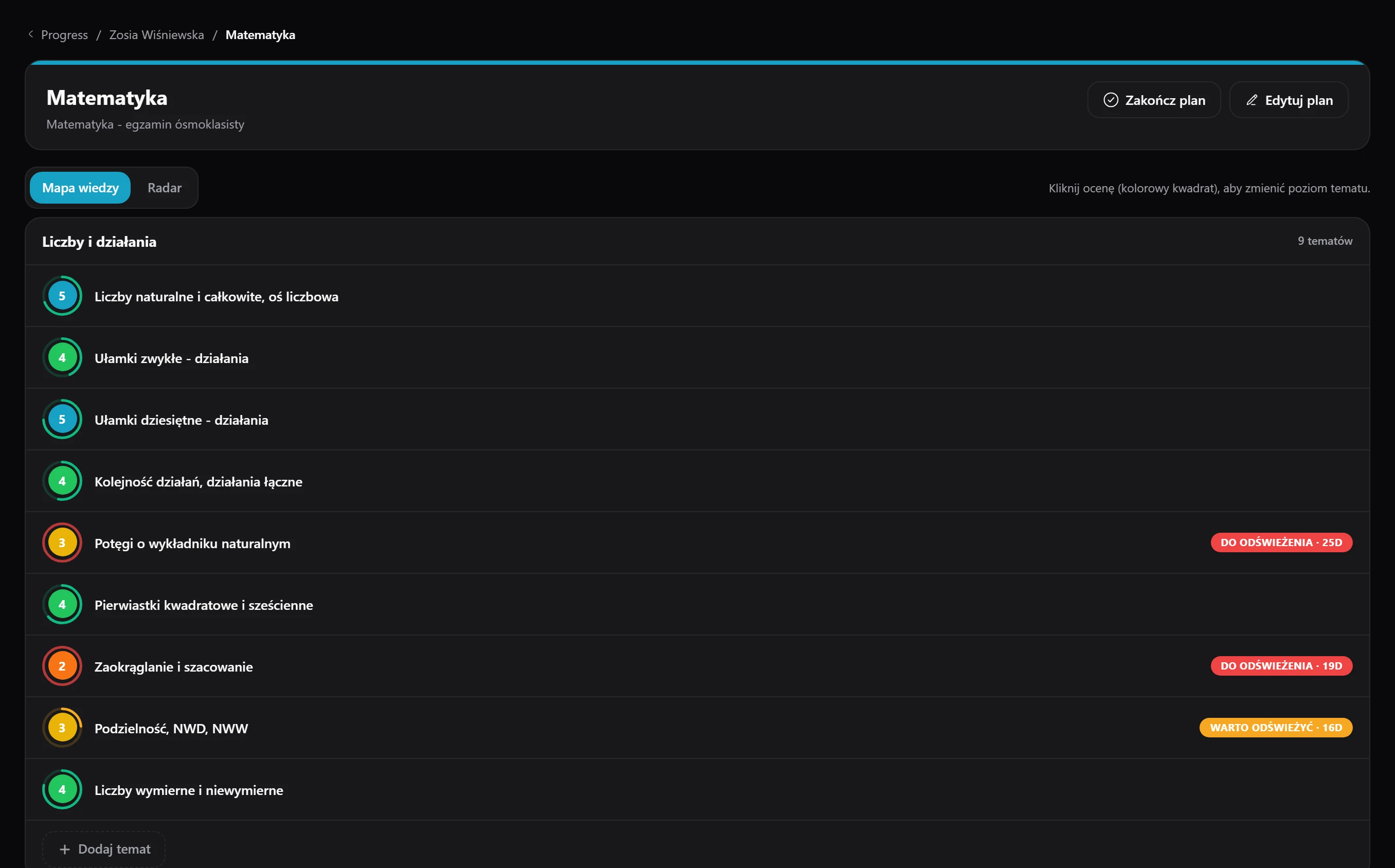
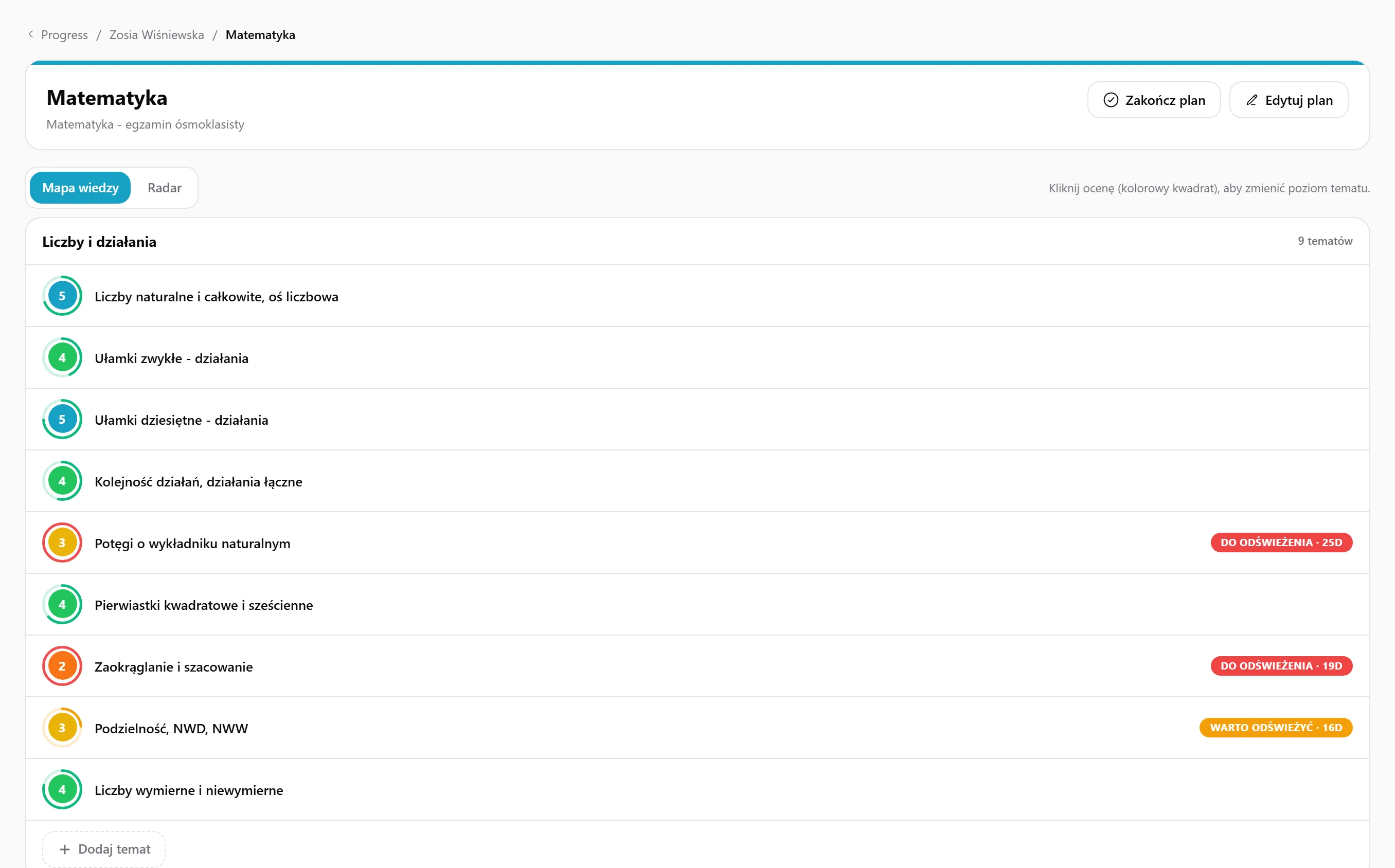
You have ready curricula for every level of primary and secondary school, the basic and extended final exam, and languages from A1 to C2 - you click, tailor it to the student and go.
You guide students through curricula in which you rate every topic on a scale of 1 to 5, while the parent follows everything through a public view link.
14 days of full access, free, no card
You have ready curricula for every level of primary and secondary school, the basic and extended final exam, and languages from A1 to C2 - you click, tailor it to the student and go.
If you prefer, you build your own structure of modules and topics from scratch - the editor walks you through two steps: the basic details and the topic tree.
Right after the lesson a window pops up with the topics you touched on - you rate each on a scale of 1 to 5, and its status updates straight away.
Every topic gets a status by itself - up to date, worth refreshing or overdue - depending on how many days have passed since the last rating.
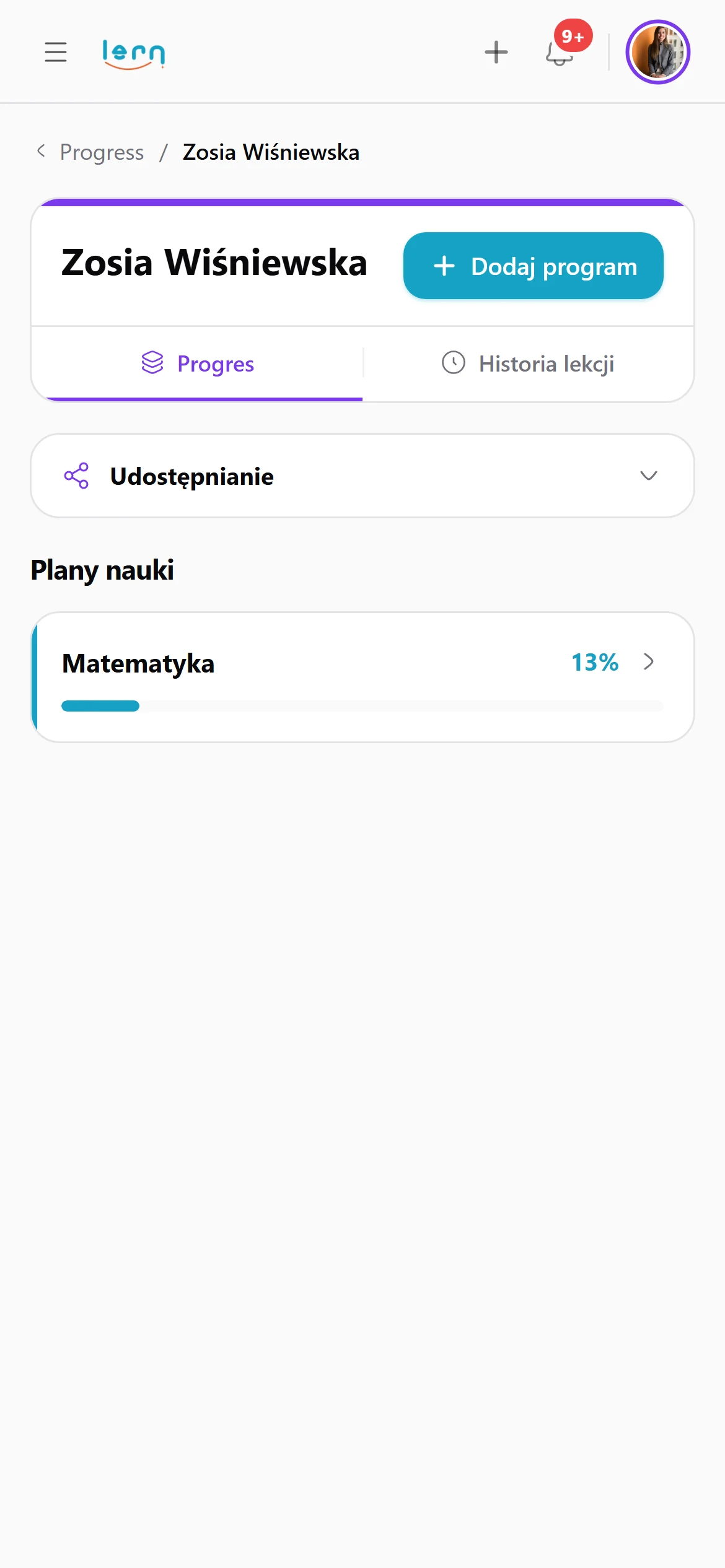
The parent watches the student's progress through a single link, with no account and no login, and you decide yourself which sections to show them: progress, lesson history or boards.
For every lesson you see the date, the rated topics and a link to the board, so returning to a session from a month ago you know exactly where you finished.
You reach for a ready template from the library - primary school, secondary, final exam, languages - pick one of your own or create a new curriculum from scratch.
The curriculum lands in the student's profile with topics ready to rate - at the start they all have the status "not started".
Straight from the board you open the window with the topics covered and rate each on a scale of 1 to 5, saving everything without leaving the lesson.
Every rated lesson lands on a timeline, so you check what was covered a month ago, click the board and return exactly to what you were doing.
Rate each topic 1 to 5 and know when to come back to it.
(no more “but we covered this!”)
Turn off history and it's gone. Even with the link.
Templates from primary school to the matura, plus languages from A1 to C2. Pick one, adjust it to your student and go.
Three typical situations where tutors put this to work.
Your student has a year until the matura and dozens of topics to master. Assign the advanced matura syllabus, rate the topics you covered after each lesson, and in May you'll see in black and white what's still behind.
Your students are at different levels, from A1 to C2. Each gets a syllabus for their level, and when a topic hasn't come up for a while, Lern marks it “worth refreshing” before the student forgets it.
You have a dozen or so students from different years and can't remember where each one left off. Lesson history with rated topics and a link to the board tells you in two seconds, before every lesson.
Here's how it usually goes without Lern.
Data flows between modules on its own, so you never retype anything.
Assign the student a programme with a list of topics and rate each one from 1 to 5 after the lesson. Lern shows which topics are current, which are worth revising and which are overdue.
Yes, if you send them a link. You choose what they see: progress, lesson history or boards. A section you turn off disappears, even if the parent has the link.
Yes, templates for primary school, secondary school, the matura and languages from A1 to C2. Adapt a template to your student or build your own programme from scratch.
Lern marks a topic as worth revising or overdue depending on how many days have passed since the last rating. You set the day thresholds yourself.
Ready-made templates for primary, secondary and final exams are in the library.
Get started for free